DeadlinesE-Invoicing by Dec 31, 20262026 Computerized Books in ORUS by Jan 30, 2027E-Invoicing Dec 31 · ORUS Jan 30

Check Readiness
TechNext

Odoo Fleet in Singapore & the Philippines

Each vehicle is recorded with its drivers, contracts, services and running costs, and you are warned before a contract expires. We load your vehicle list, set up cost and contract types and train whoever looks after the fleet.

Odoo Ready Partner

Works withPayrollEmployeesRecruitmentTime Off

Odoo Fleet in one paragraph

Odoo Fleet: vehicles, contracts and costs. TechNext, an Odoo Ready Partner headquartered in Singapore with teams in the Philippines and Vietnam, sets it up on a staging copy of your database, migrates your data, trains the people who use it and supports it after go-live.

In Odoo 20, choosing or changing an employee's car in Payroll updates the vehicle's driver in Fleet, and Documents can file fleet documents against the right vehicle by licence plate. What changed in Odoo 20.

See it on my data How we set it up

How a vehicle moves through Odoo Fleet.

Sample vehicles run through Odoo Fleet the way TechNext sets it up: 4 states, the exceptions and loops that really happen, and the hand-offs into Employees, Invoicing and Documents. Hover a state to see what happens there.

Odoo Fleet · vehicle lifecycleSample records · 4 states · 3 hand-offs
In progress
0
Completed
0
Exceptions
0
Hand-offs
0
  1. New requestVehicle needed for a role
  2. To orderModel and contract chosen
  3. RegisteredAssigned to a driver
  4. DowngradedEnd of contract, returned

Exceptions and loops

  • Service and costs logged
  • Replacement ordered

What TechNext configures

  • Contract renewal reminders
  • Odometer and fuel logs
  • Cost analysis per vehicle

Main path: New request → To order → Registered → Downgraded.

Sample records. Your stages, rules and hand-offs are configured in discovery.

Talk to a compliance engineer How we set it up for you

Fleet, section by section.

The product as Odoo presents it. TechNext configures each part to your process.

Fleet management made easy

You won't need any specialized tracking system for company vehicles - with Odoo's smart app, you can keep a close eye on your fleet in a few simple clicks. Manage everything through our user-friendly administrative system - fuel log entries, costs and many other features necessary for the management of your company's vehicles.

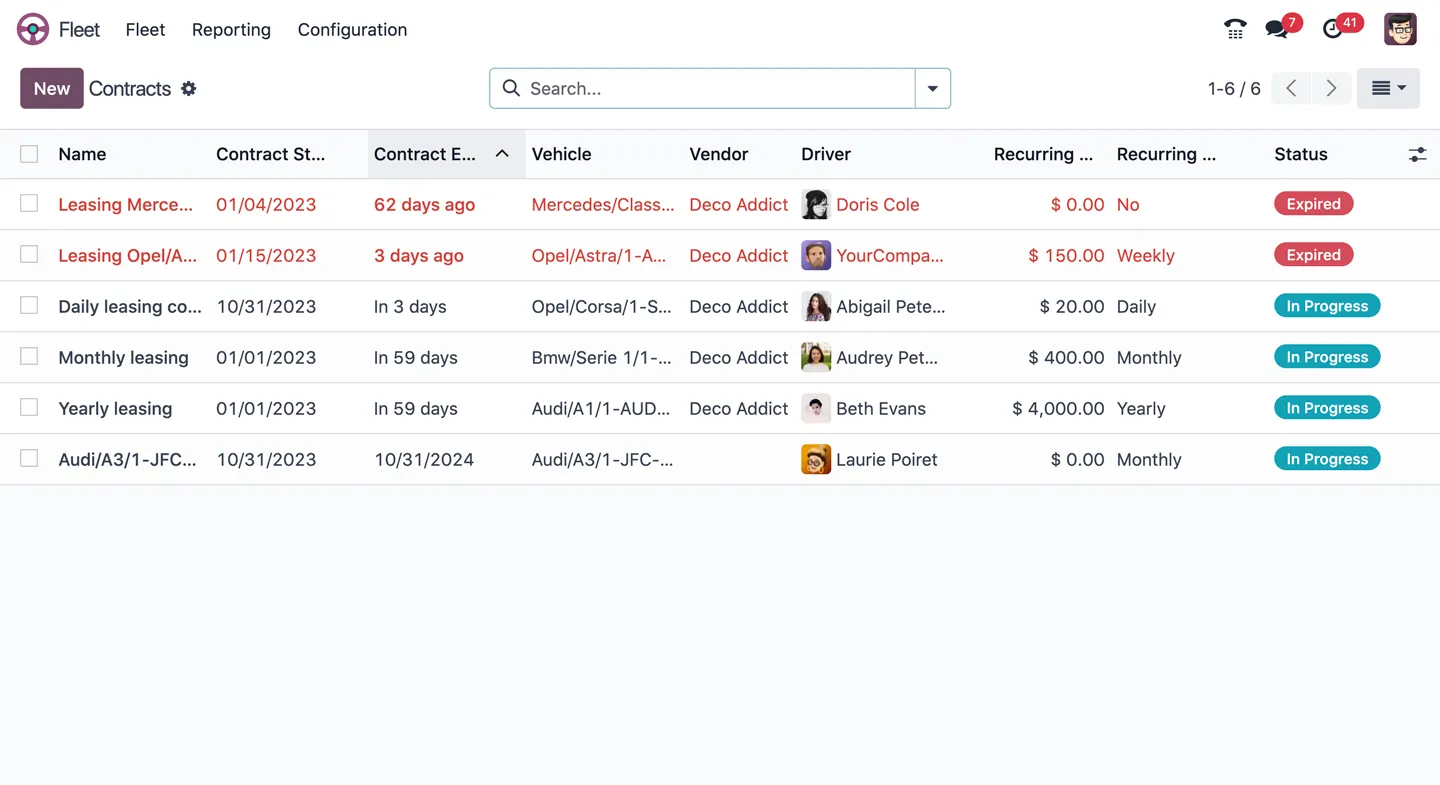
Manage leasing and all other contracts

Supervise all contracts for your vehicles and receive a warning email when contracts reach their expiration date. Several visual tools are put in place to ensure that you'll remember to renew (or end) your contract. Organize the services around the vehicles and communicate with the qualified service providers; manage invoices and notes. Set up a vehicle policy within your company, as well as an insurance policy in order to manage your fleet in the most efficient way.

Monitor all costs at once

Identify and trace the money spent by your company for each of the fleet vehicles. Recurring costs of your contracts such as leasing and services contracts are automatically added to your accounting at the beginning of each period of the frequency specified in the contracts, while all other costs like fuel and repairs are automatically added to your report.

Analysis and reporting

Show all costs associated with a given vehicle or with a type of service. Compare different types of costs (which vehicles cost the most; which services have been performed on which vehicles; etc) by using the reporting tool. Get really helpful insights about the effective return of each vehicle in order to improve your fleet investments.

  • Employees
  • Approvals
  • Expenses
  • Survey
  • Sign

How we set it up for you

Fleet, configured to how you work.

Standard Odoo first. We set it up on a staging database, migrate your data, train your team and stay on after go-live.

  1. Discovery: we map how the process runs today and match it to the app
  2. Configuration on a staging database, checked against real records
  3. Training for the people who will use it, on your own data
  4. Support after go-live: fixes, changes and upgrades

Apps that share the same database.

All Odoo apps

Product descriptions, screenshots and videos are © Odoo S.A., reproduced for reference from odoo.com. TechNext is an Odoo Ready Partner; we implement and support Odoo.

Put Fleet to work for your BIR requirements.

Keep the system you run today. Our own experts add Fleet as a plug-in in your system and quote it in writing first.