


 Complete product control
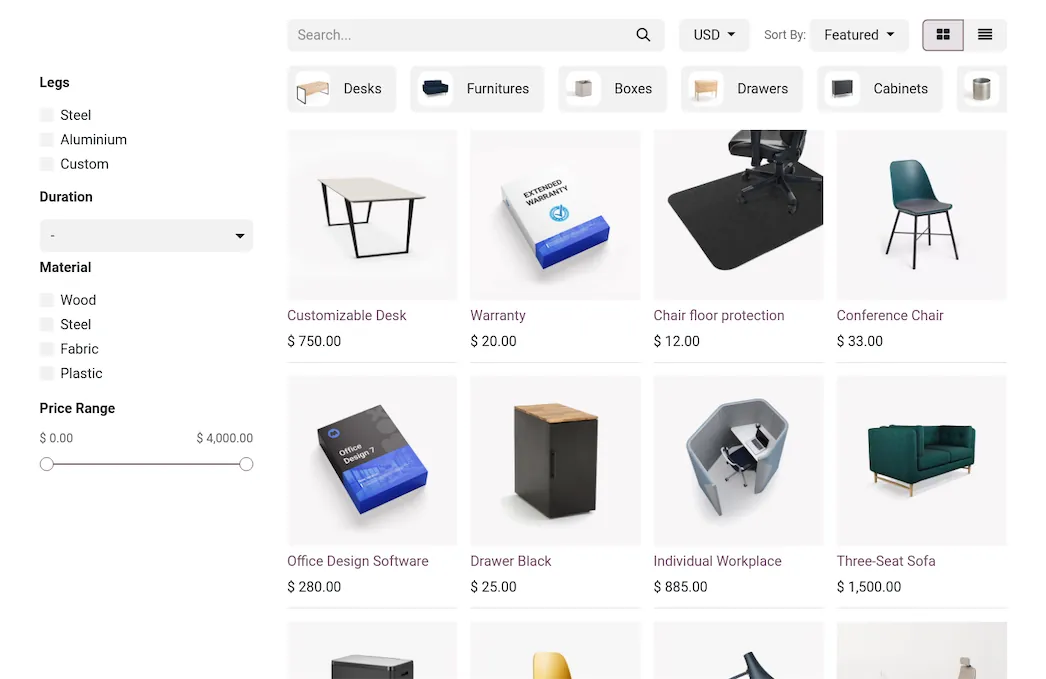
Set up unique product pricing, variants, and categories that integrate with eCommerce , Inventory , and Manufacturing .
DeadlinesE-Invoicing by Dec 31, 20262026 Computerized Books in ORUS by Jan 30, 2027E-Invoicing Dec 31 · ORUS Jan 30
Check ReadinessOdoo Sales takes an order from quotation to delivery and invoice, with templates, pricelists and a customer portal. We configure the flow and train your sales team, and for Philippine companies the invoices that follow are set up for the EOPT rules, and for covered taxpayers we plan e-invoicing ahead of 31 December 2026.
Works with Point of Sale — Shop
 Point of Sale — Restaurant
 Subscriptions
 Rental
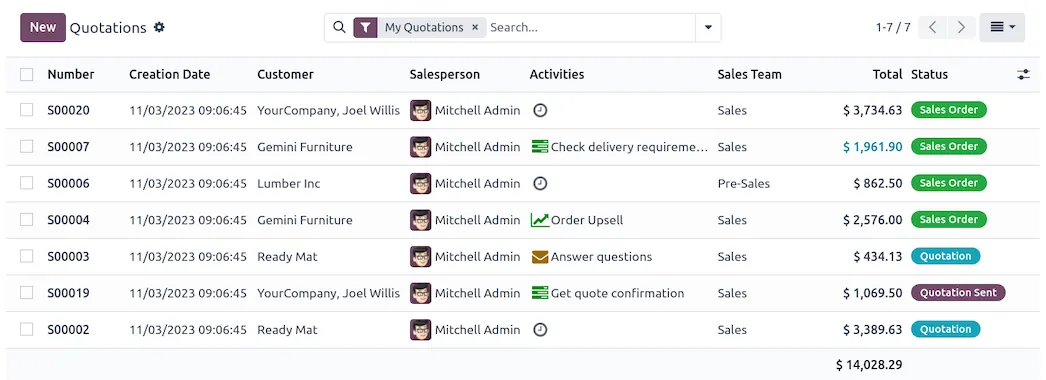
Odoo Sales: quotations, orders and upsells. TechNext, an Odoo Ready Partner headquartered in Singapore with teams in the Philippines and Vietnam, sets it up on a staging copy of your database, migrates your data, trains the people who use it and supports it after go-live.
Odoo 20 adds a sales dashboard above the quotation list, reprices a line when you edit its margin, and saves any quotation as a template. It also connects to the Lazada and TikTok marketplaces to fetch orders and sync stock. What changed in Odoo 20.
From the quotation to the dashboard, nothing is re-typed: each step below uses the lines of the one before. The records are sample data; your products, prices and approvals go in yours.
Odoo Sales · quote-to-cash ledger
QuotationS00042A quotation with your products, prices and optional extras, built in minutes.SentOrder closedQuote, sign, deliver, invoice, no re-typing.
Sample sales orders run through Odoo Sales the way TechNext sets it up: 5 states, the exceptions and loops that really happen, and the hand-offs into Inventory, Invoicing and Manufacturing. Hover a state to see what happens there.
Exceptions and loops
What TechNext configures
Main path: Quotation → Quotation sent → Sales order → Delivered → Invoiced.
Sample records. Your stages, rules and hand-offs are configured in discovery.
Official Odoo videos. Nothing loads until you press play.
Book a Technical Readiness Call See Sales on your own data, as a plug-in in your system.
The product as Odoo presents it. TechNext configures each part to your process.
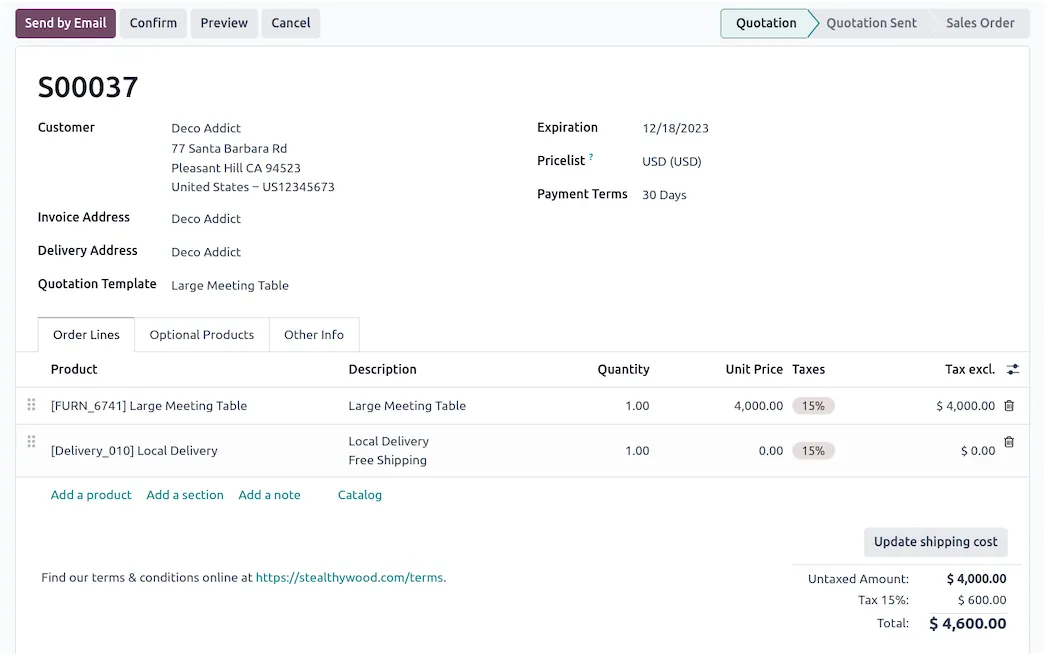
Automatically apply the correct pricing and taxes to every customer. Skip time-consuming tasks to focus on what matters most: selling!
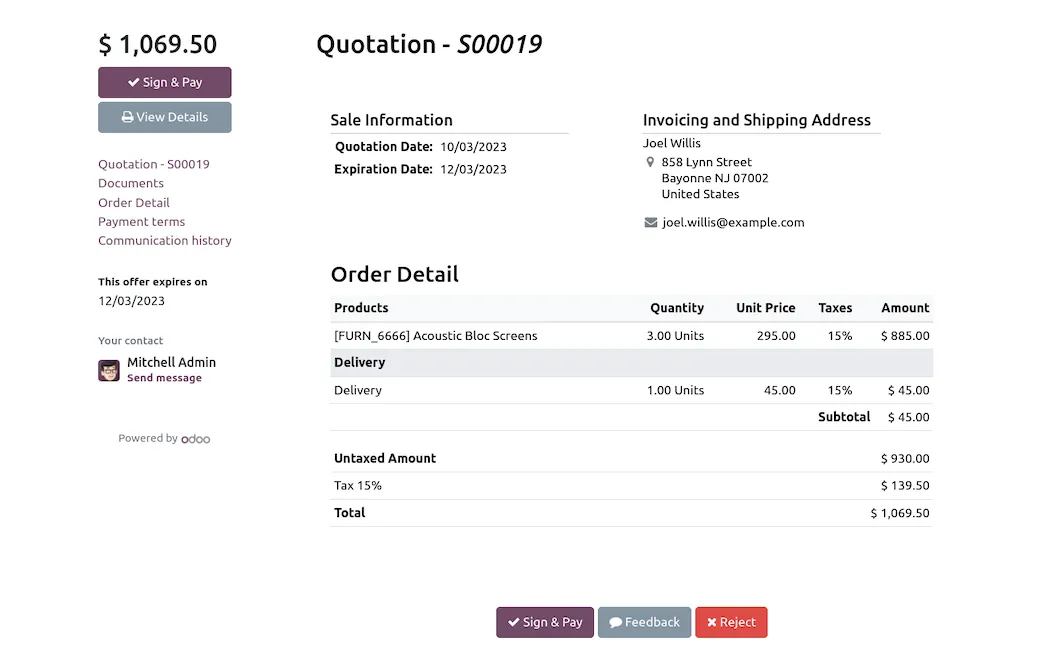
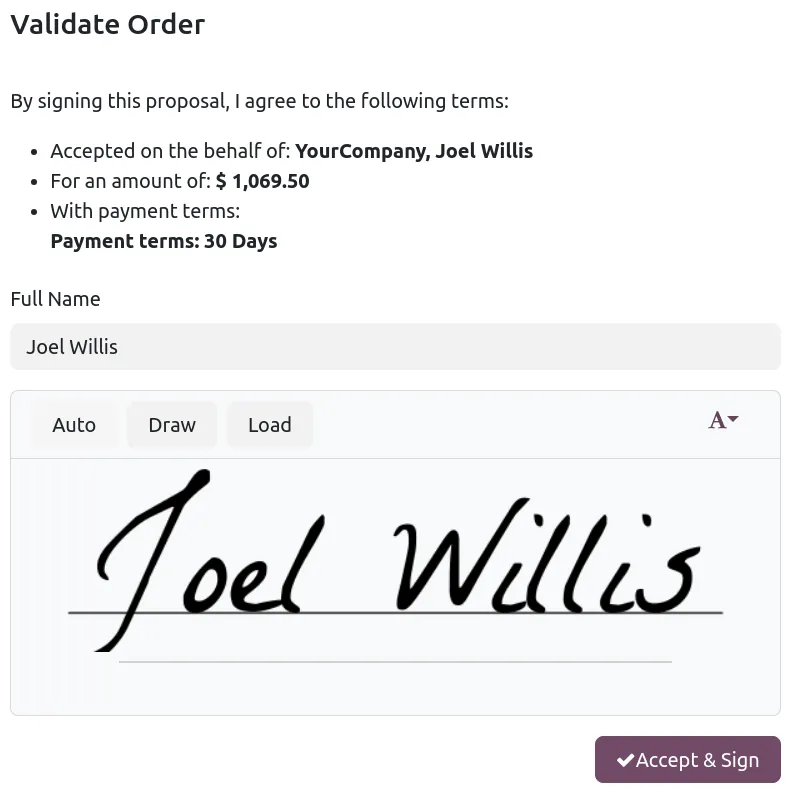
Let customers help themselves! Customers can access their quotations, sales orders, delivery orders, and more... Save time with online payments, and close deals faster with e-signatures on quotations, contracts, and any other PDF.
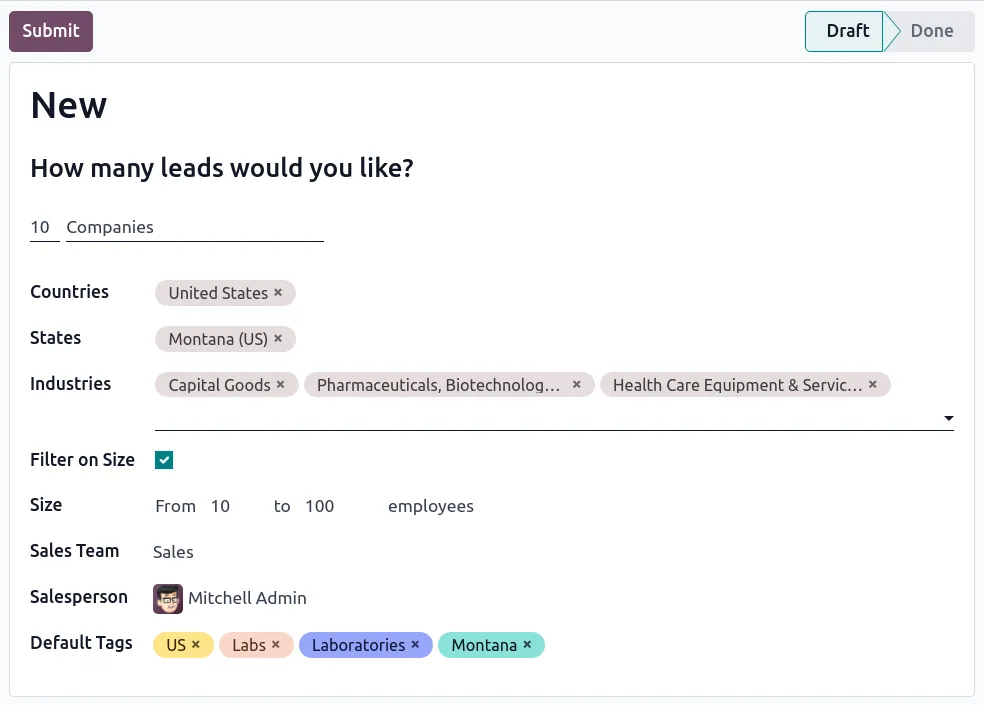
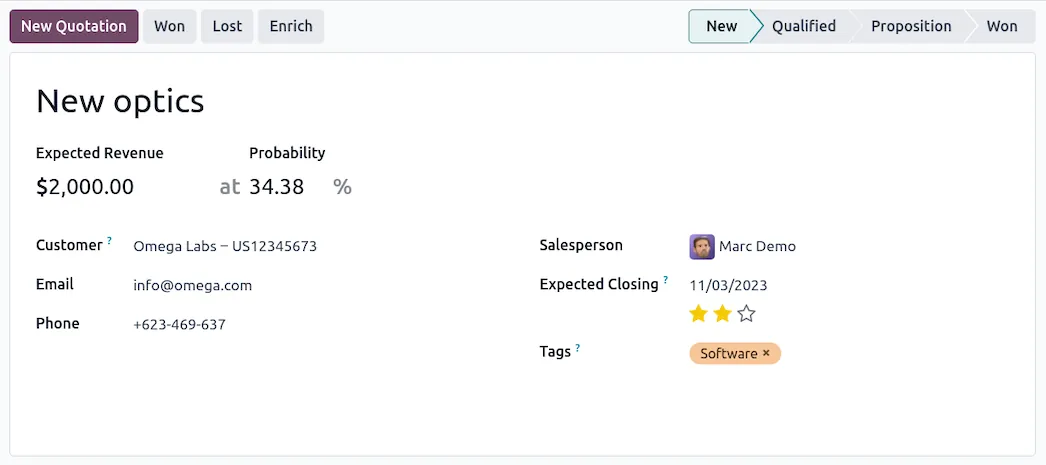
Generate qualified leads through website visits, marketing campaigns, email aliases, event registrations, and more. AI-powered lead scoring narrows down which leads are worth your sales team's valuable time.
Complete product controlSet up unique product pricing, variants, and categories that integrate with eCommerce , Inventory , and Manufacturing .
Standard Odoo first. We set it up on a staging database, migrate your data, train your team and stay on after go-live.
Point of Sale — ShopOffline-ready retail checkout.Point of Sale — RestaurantTables, kitchen printing, bills.SubscriptionsRecurring billing and renewals.RentalBook, pick up and return assets. AccountingJournals, bank sync, tax reports and closing.
 InventoryMulti-warehouse stock, barcodes, replenishment.
Product descriptions, screenshots and videos are © Odoo S.A., reproduced for reference from odoo.com. TechNext is an Odoo Ready Partner; we implement and support Odoo.
Keep the system you run today. Our own experts add Sales as a plug-in in your system and quote it in writing first.
2027 BIR Audit Guide · sent by our team
Four details. A BIR Compliance Expert sends the guide to your work email within one business day. Inside: the eLA rules, the 10-day document rule, what examiners ask for, and a routine for audit requests.