DeadlinesE-Invoicing by Dec 31, 20262026 Computerized Books in ORUS by Jan 30, 2027E-Invoicing Dec 31 · ORUS Jan 30

Check Readiness
TechNext

Odoo Inventory in Singapore & the Philippines

Odoo Inventory tracks stock across warehouses with barcodes, lots and serial numbers, and raises purchase orders when stock runs low. We model your sites and routes, count opening stock in, train your warehouse team and support you after go-live.

Odoo Ready Partner TechNext focus app

Works withManufacturingPLMPurchaseMaintenance

Odoo Inventory in one paragraph

Odoo Inventory: multi-warehouse stock, barcodes, replenishment. TechNext, an Odoo Ready Partner headquartered in Singapore with teams in the Philippines and Vietnam, sets it up on a staging copy of your database, migrates your data, trains the people who use it and supports it after go-live.

In Odoo 20, reordering rules suggest minimum and maximum levels from demand history, the stock report shows inventory at a past date, and a stock ageing report sits in the moves analysis. The return wizard is gone, replaced by a simpler returns flow. What changed in Odoo 20.

See it on my data How we set it up

Six moves, every one tracked.

Every receipt, move and count below is logged against a location. The records are sample data; your warehouses, bins and routes go in yours.

Odoo Inventory · movement ledger

Sample data
  1. 01ReceiptsWH/IN/0017Receipts checked against the purchase order at the dock.Received
  2. 02LocationsWH/Stock/A5-03Locations: every shelf and bin has an address, so stock is never lost.Stored
  3. 03PickingWH/PICK/0031Picking with a barcode scanner, in route order.Picked
  4. 04Pack and shipWH/OUT/0042Pack and ship: shipping labels and carrier tracking from Odoo.Shipped
  5. 05ReplenishmentMin 20 · Max 60Replenishment: reorder rules raise purchases before stock runs out.Reordered
  6. 06CountsWH/INV/0006Cycle counts by location, with every adjustment logged.Counted

Stock trackedReceived, put away, picked, packed, counted.

Talk to a compliance engineer How BIR CAS set-up works

How a transfer moves through Odoo Inventory.

Sample transfers run through Odoo Inventory the way TechNext sets it up: 5 states, the exceptions and loops that really happen, and the hand-offs into Purchase, Invoicing and Quality. Hover a state to see what happens there.

Odoo Inventory · transfer lifecycleSample records · 5 states · 3 hand-offs
In progress
0
Completed
0
Exceptions
0
Hand-offs
0
  1. ReceiptGoods in from the vendor
  2. Put awayTo the right location
  3. In stockAvailable to reserve
  4. PickedBy barcode
  5. ShippedDelivery validated

Exceptions and loops

  • Short pick: backorder created
  • Below minimum: reordering rule

What TechNext configures

  • Routes: one, two or three steps
  • Reordering rules per warehouse
  • Lots, serial numbers and expiry

Main path: Receipt → Put away → In stock → Picked → Shipped.

Sample records. Your stages, rules and hand-offs are configured in discovery.

Get my custom blueprint How we set it up for you

Inventory in action.

Official Odoo videos. Nothing loads until you press play.

Book a Technical Readiness Call See Inventory on your own data, as a plug-in in your system.

Inventory, section by section.

The product as Odoo presents it. TechNext configures each part to your process.

Odoo Inventory — Flawless replenishments

Flawless replenishments

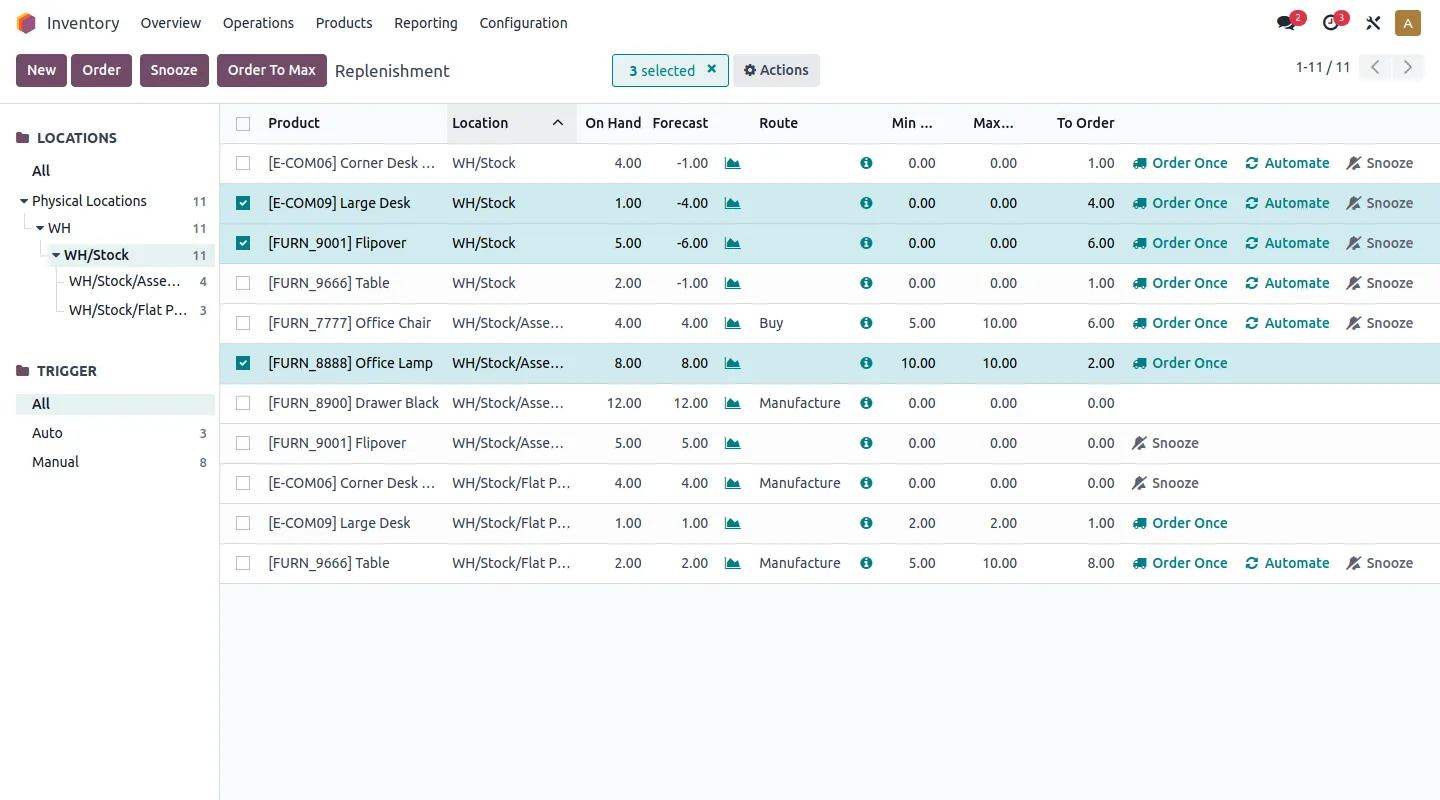
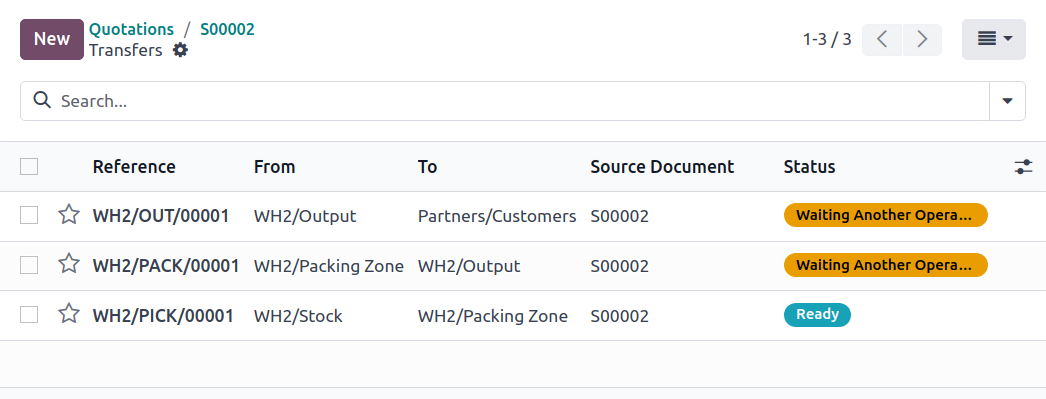
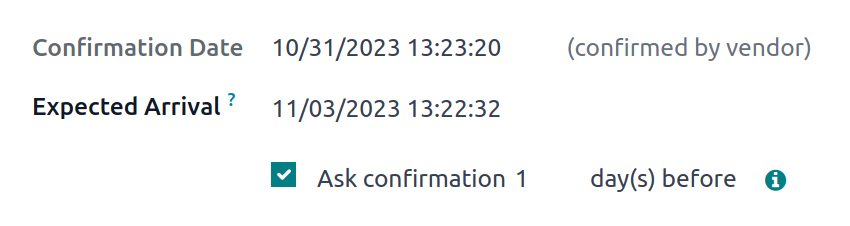
Never run out-of-stock with smart replenishment strategies like min-max rules, MTO, or the master production schedule. Let Odoo propose, or trigger purchase orders automatically. Then automate vendor follow-ups to minimize communication risks : PO acknowledgment, receipt schedule confirmation a few days before, etc.

  • Replenishment
  • Quality control
  • Storage
Odoo Inventory — Optimize your warehouse

Optimize your warehouse

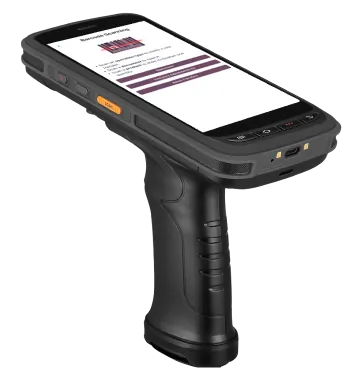
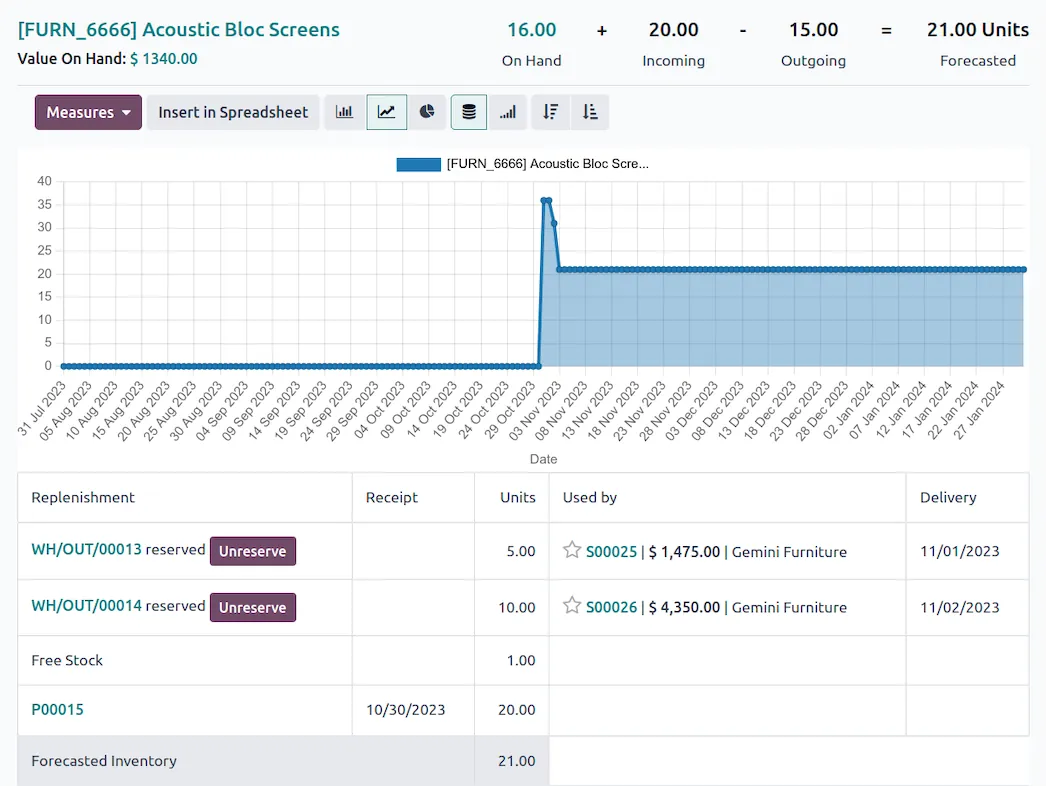
Real-time inventory management with all the features: serial numbers, lots, packaging, reservation strategies, cycle counting, KPIs, and more...

Odoo Inventory — Packing has never been easier

Packing has never been easier

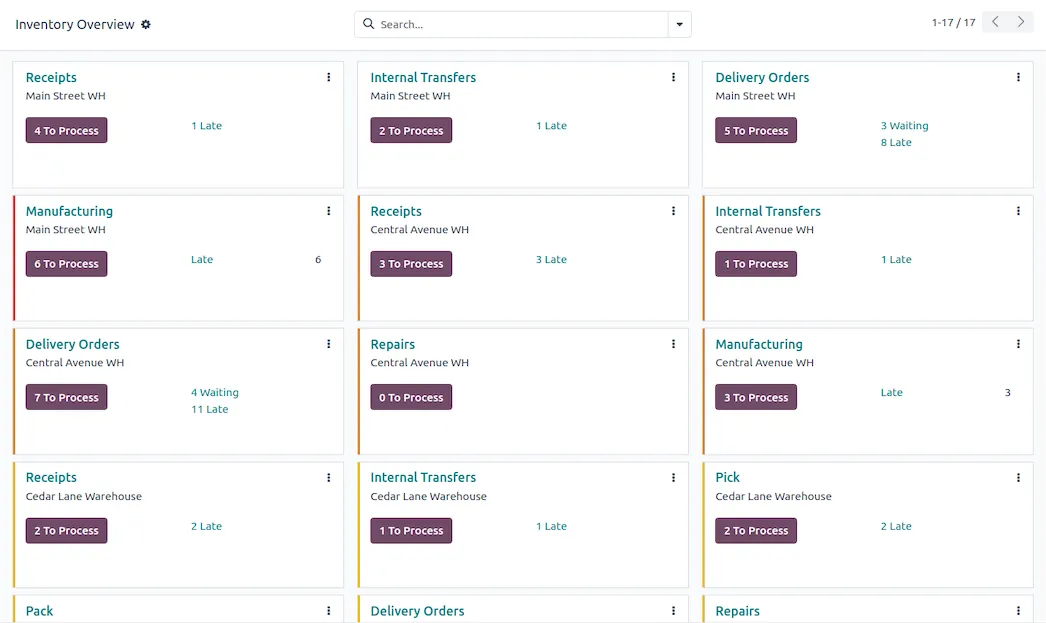
Odoo integrates with carriers to print shipping labels, quality controls, and different packing units such as parts, boxes, pallets, and more.

Speed up receipt, quality control and storage

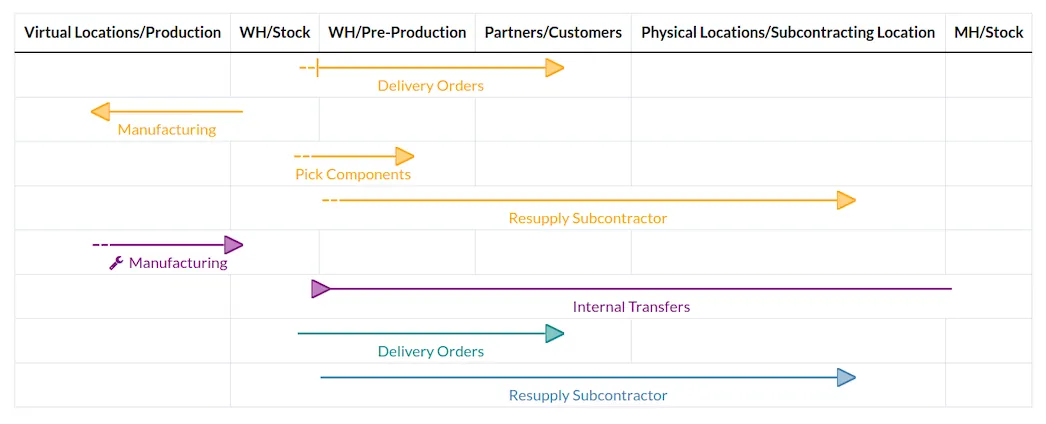
Control incoming and outgoing shipments with push and pull rules, GS-1 codes, and customizable routes. Use put-away strategies to optimize your storage: slow-fast movers, ABC analysis, cross-dock... all you need to reduce the number of parts moved, and distances.
Minimize picking movements

Choose the right strategy for you: single, cluster, wave, or batch picking. Trigger goods to release using multiple reservation strategies. Implementing the rights strategies allows to pick and pack 30% extra products with the same team.

  • Wave picking
  • Cluster picking
  • Batch picking

How we set it up for you

Inside the app.

Odoo Inventory screenshot 1
Odoo Inventory · screenshot from odoo.com
Odoo Inventory screenshot 2
Odoo Inventory · screenshot from odoo.com
Odoo Inventory screenshot 3
Odoo Inventory · screenshot from odoo.com
Odoo Inventory screenshot 4
Odoo Inventory · screenshot from odoo.com

How we set it up for you

Inventory, configured to how you work.

Standard Odoo first. We set it up on a staging database, migrate your data, train your team and stay on after go-live.

  1. Warehouses, locations and routes modelled on your sites
  2. Barcode operations for receipts, picking and counts
  3. Reordering rules that raise purchase orders automatically
  4. Opening stock counted in and valued correctly

Apps that share the same database.

All Odoo apps

Product descriptions, screenshots and videos are © Odoo S.A., reproduced for reference from odoo.com. TechNext is an Odoo Ready Partner; we implement and support Odoo.

Put Inventory to work for your BIR requirements.

Keep the system you run today. Our own experts add Inventory as a plug-in in your system and quote it in writing first.