DeadlinesE-Invoicing by Dec 31, 20262026 Computerized Books in ORUS by Jan 30, 2027E-Invoicing Dec 31 · ORUS Jan 30

Check Readiness
TechNext

Odoo Live Chat in Singapore & the Philippines

Visitors ask a question from your website and the conversation reaches the right person in Discuss, with leads and tickets created from the chat. We set up your channels, rules and chatbot and train your agents.

Odoo Ready Partner

Works witheLearningWebsite BuildereCommerceBlog

Odoo Live Chat in one paragraph

Odoo Live Chat: chat with visitors from Discuss. TechNext, an Odoo Ready Partner headquartered in Singapore with teams in the Philippines and Vietnam, sets it up on a staging copy of your database, migrates your data, trains the people who use it and supports it after go-live.

Odoo 20 connects Messenger and Instagram direct messages to live chat teams, so they reply from Odoo. When an AI agent mentions a record in a chat, it can show as a clickable card. What changed in Odoo 20.

See it on my data How we set it up

How a chat moves through Odoo Live Chat.

Sample chats run through Odoo Live Chat the way TechNext sets it up: 5 states, the exceptions and loops that really happen, and the hand-offs into CRM, Helpdesk and Discuss. Hover a state to see what happens there.

Odoo Live Chat · chat lifecycleSample records · 5 states · 3 hand-offs
In progress
0
Completed
0
Exceptions
0
Hand-offs
0
  1. VisitorBrowsing a page
  2. ChatbotAnswers the first questions
  3. OperatorHanded to a person
  4. ConversationAnswered in Discuss
  5. RatedVisitor rates the chat

Exceptions and loops

  • Solved by the chatbot
  • No operator: leave a message

What TechNext configures

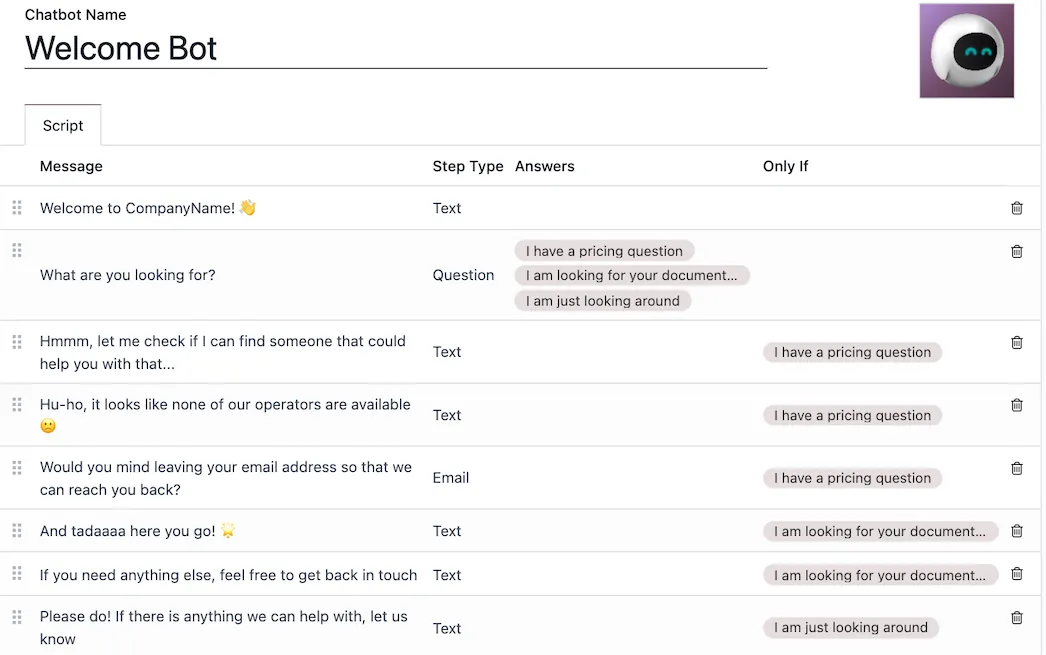
  • Chatbot scripts
  • Rules by page and country
  • Canned responses

Main path: Visitor → Chatbot → Operator → Conversation → Rated.

Sample records. Your stages, rules and hand-offs are configured in discovery.

Talk to a compliance engineer How we set it up for you

Live Chat, section by section.

The product as Odoo presents it. TechNext configures each part to your process.

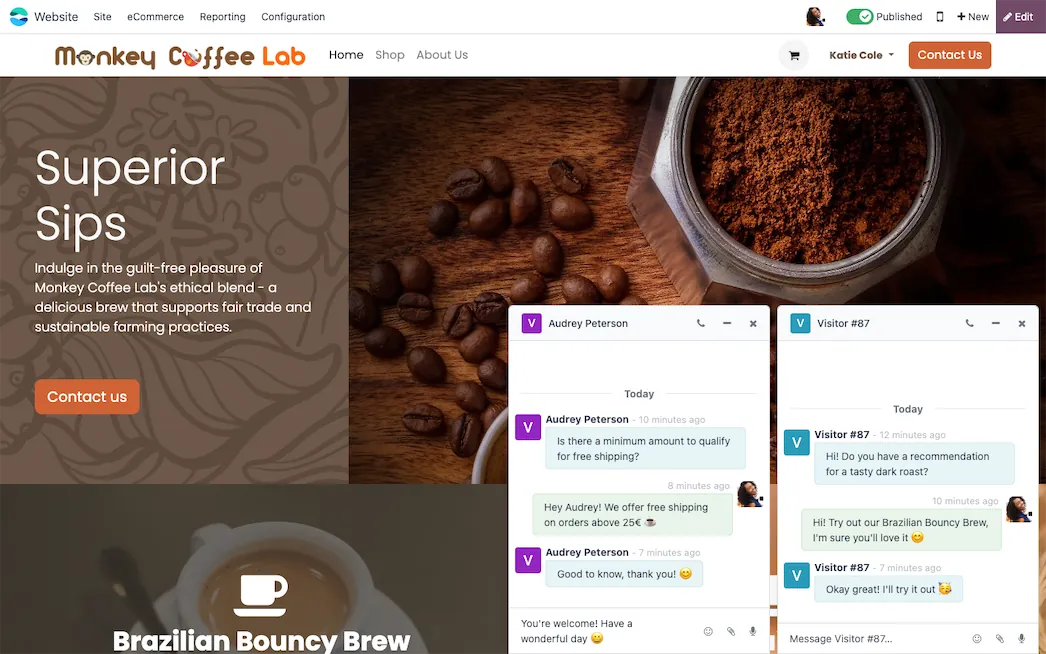
Odoo Live Chat — Answer questions, nurture leads, and solve problems instantly

Answer questions, nurture leads, and solve problems instantly

With its user-friendly interface and robust features, Odoo Live Chat empowers your team to engage with website visitors, address queries, and nurture leads in real time. Whether you're looking to boost customer satisfaction or enhance your team's efficiency, Odoo Live Chat is the solution that bridges the gap between you and your audience, fostering meaningful connections at every click.

Odoo Live Chat — Help is just a click away

Help is just a click away

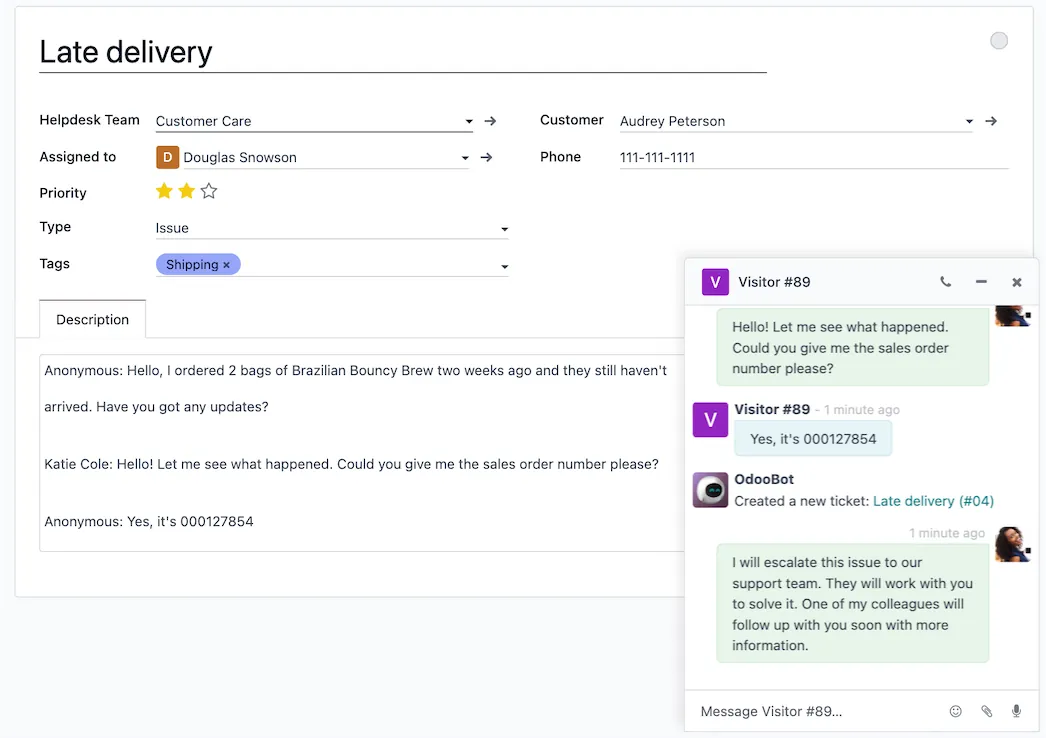
Turn conversations into support tickets instantly without losing track of the important details. When a live chat operator runs into an issue that requires some investigation, they can create a Helpdesk ticket right from the chat window. And that entire chat history? It moves right over with the new ticket.

Odoo Live Chat — Turn “visitor” into “customer”

Turn “visitor” into “customer”

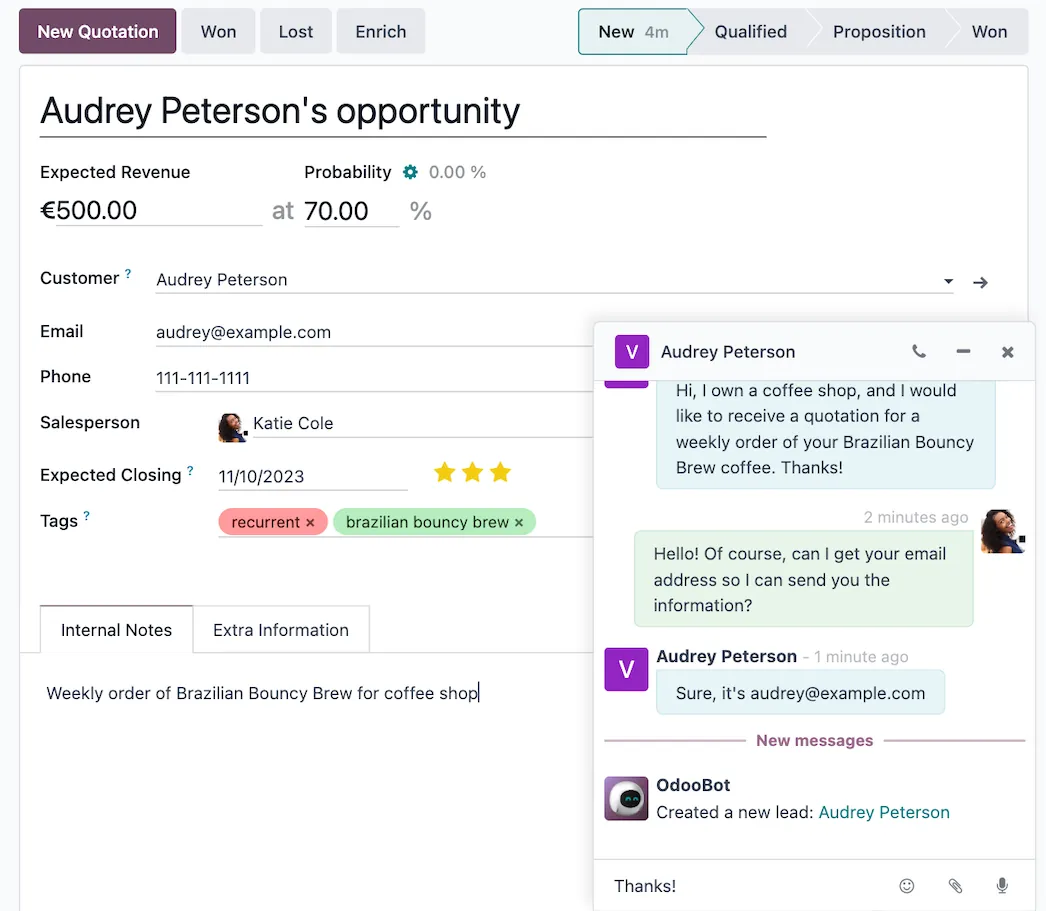
Convert website visitors into potential sales with just a few keystrokes. As a visitor engages with your website, the live chat enables instant communication, allowing your team to promptly address inquiries and provide personalized assistance. These interactions can then be captured and transformed into leads within the CRM app, ensuring no potential business opportunity slips through the cracks.

Odoo Live Chat — Meet Chatbot, your new teammate

Meet Chatbot, your new teammate

From creating Helpdesk tickets to answering customer questions, the Odoo Chatbot is poised to be your most versatile employee! This intelligent virtual assistant is designed to provide instant responses and support round-the-clock. Say goodbye to long response times and hello to efficient automation!

See new chats wherever you work

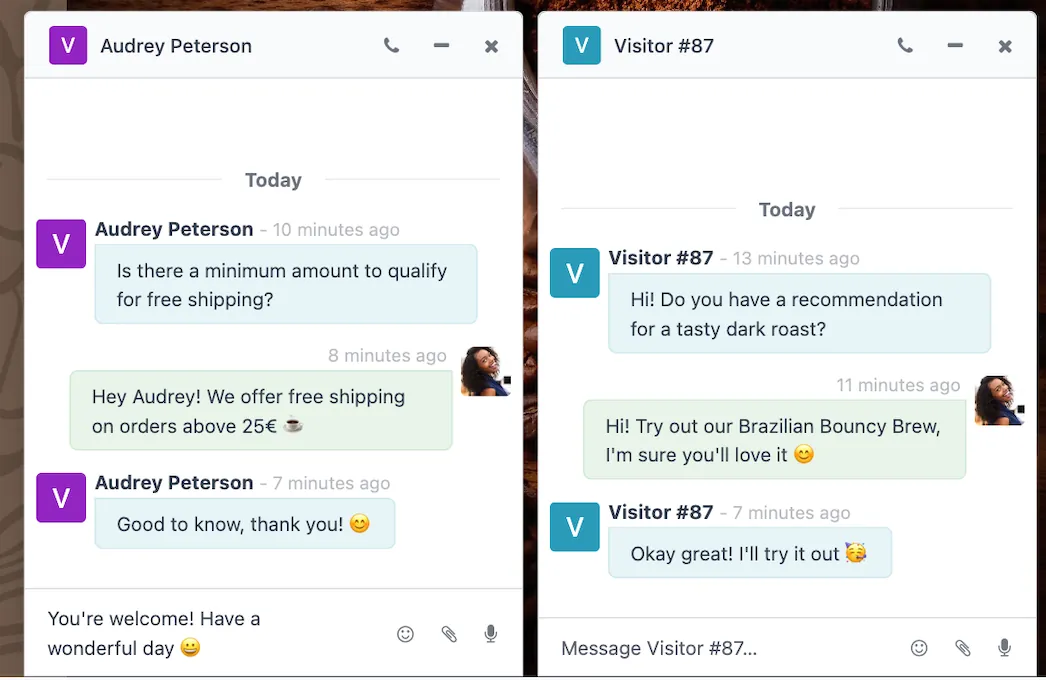
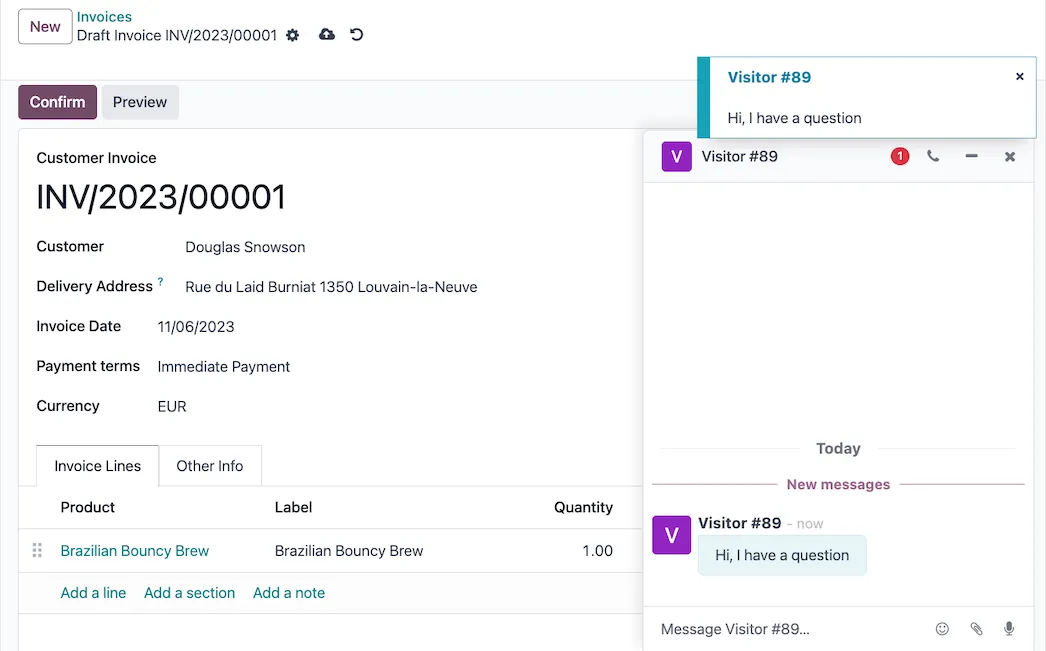
Receive notifications and open a chat window no matter what Odoo app you are working in. Your conversations follow you across the database so you can reply from whichever app you are in.
How we set it up for you

Inside the app.

Odoo Live Chat screenshot 1
Odoo Live Chat · screenshot from odoo.com

How we set it up for you

Live Chat, configured to how you work.

Standard Odoo first. We set it up on a staging database, migrate your data, train your team and stay on after go-live.

  1. Discovery: we map how the process runs today and match it to the app
  2. Configuration on a staging database, checked against real records
  3. Training for the people who will use it, on your own data
  4. Support after go-live: fixes, changes and upgrades

Put Live Chat to work for your BIR requirements.

Keep the system you run today. Our own experts add Live Chat as a plug-in in your system and quote it in writing first.