


 The power of Odoo Discuss
WhatsApp works side-by-side with emails, SMS, chats, video conferences, ... all while being integrated on the business documents, like quotations, invoices, events, etc.
DeadlinesE-Invoicing by Dec 31, 20262026 Computerized Books in ORUS by Jan 30, 2027E-Invoicing Dec 31 · ORUS Jan 30
Check ReadinessYour team messages customers on WhatsApp from Odoo, with templates for invoices, tickets and reminders and every conversation kept on the record. We connect your WhatsApp Business account, set up the templates and train your team.
Odoo WhatsApp: templates and conversations. TechNext, an Odoo Ready Partner headquartered in Singapore with teams in the Philippines and Vietnam, sets it up on a staging copy of your database, migrates your data, trains the people who use it and supports it after go-live.
Odoo 20 adds interactive message templates, named parameters and default recipients on templates, number blocking, and a simpler way to authenticate a WhatsApp Business account. Planning can send staff their shifts on WhatsApp. What changed in Odoo 20.
Sample WhatsApp messages run through Odoo WhatsApp the way TechNext sets it up: 5 states, the exceptions and loops that really happen, and the hand-offs into CRM, Helpdesk and Sales. Hover a state to see what happens there.
Exceptions and loops
What TechNext configures
Main path: Template → Sent → Read → Replied → Actioned.
Sample records. Your stages, rules and hand-offs are configured in discovery.
Official Odoo videos. Nothing loads until you press play.
Get my custom blueprint See WhatsApp on your own data, as a plug-in in your system.
The product as Odoo presents it. TechNext configures each part to your process.
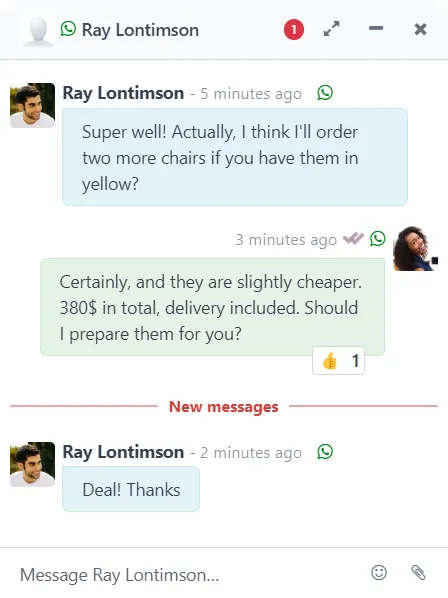
... to boost customer initiated conversations. Don't take the risk to forward customers to a phone number that's not available at any time, or engage in a one-shot conversation only.
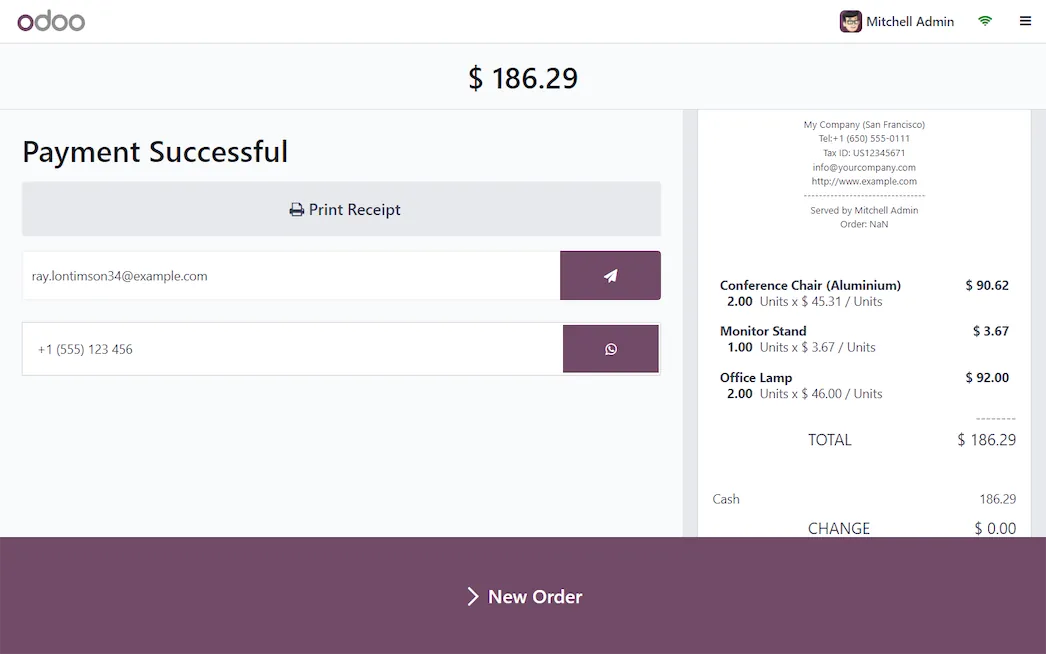
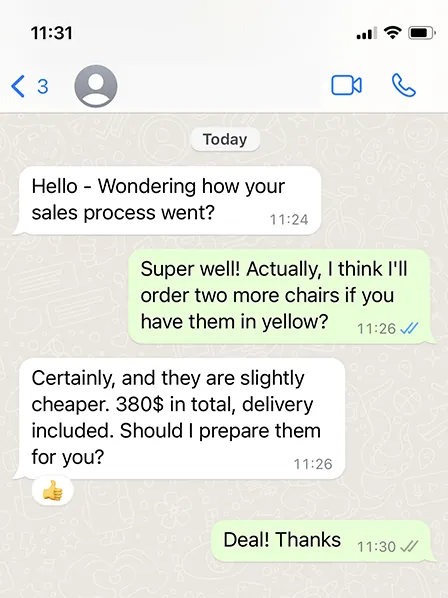
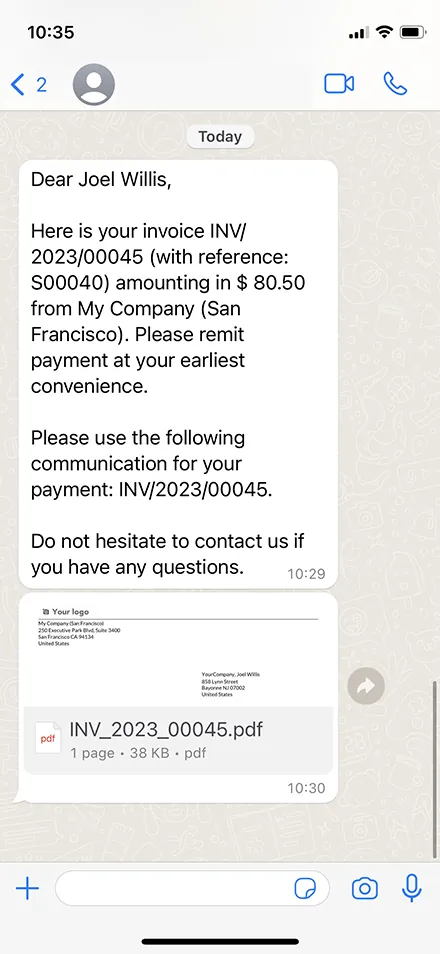
Convert conversations into leads, send PDF quotations, send event badges and reminders, send invoices, etc.
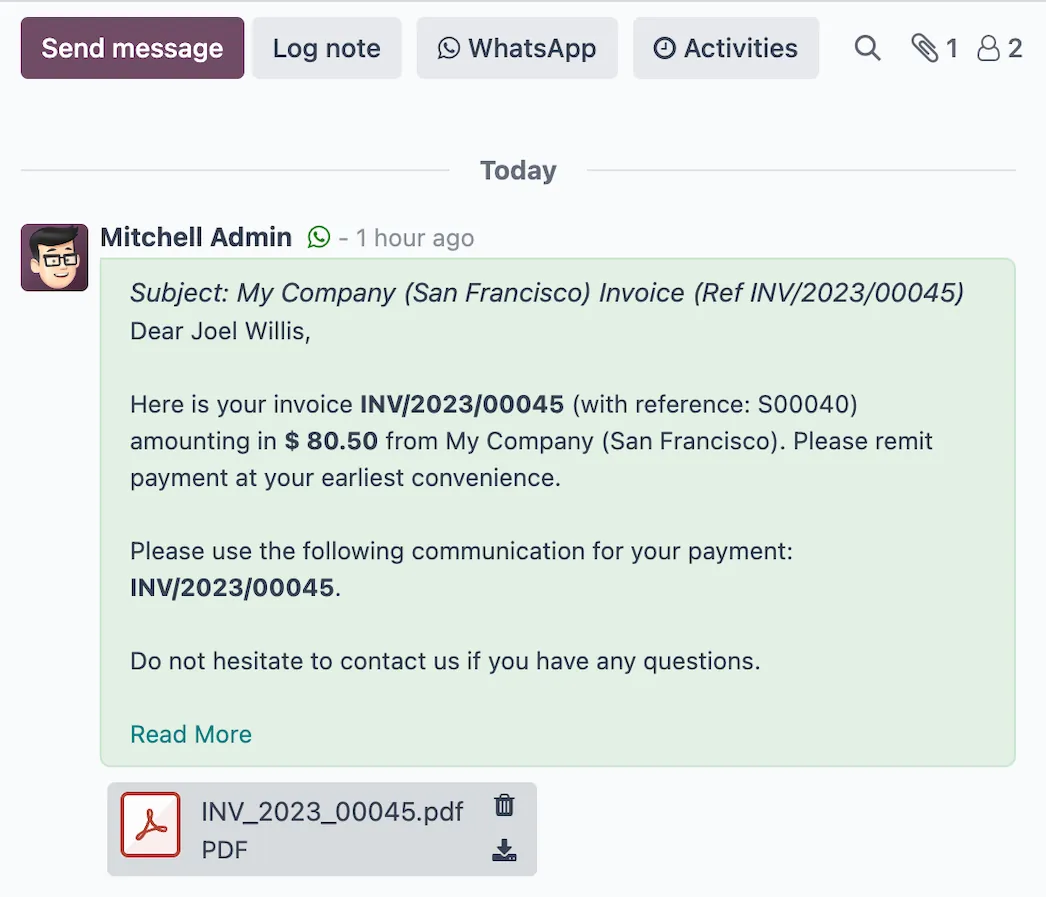
Select leads, contacts or empty carts and send your WhatsApp messages in just a few clicks. Enjoy conversion rates 3x better than emails or SMS.
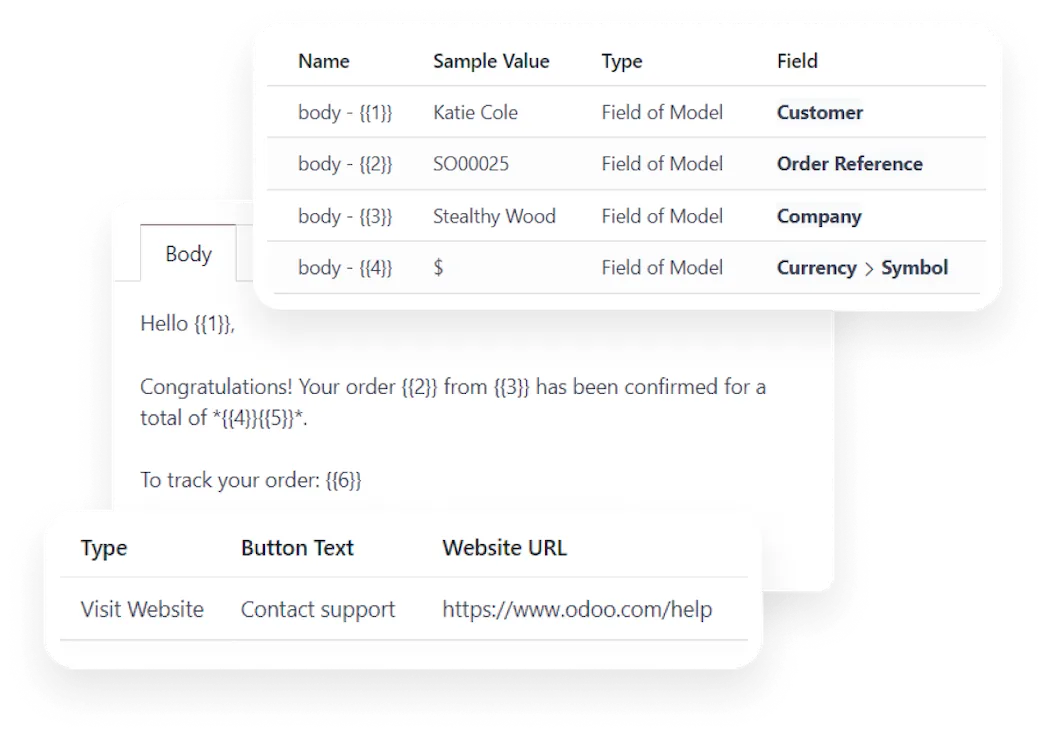
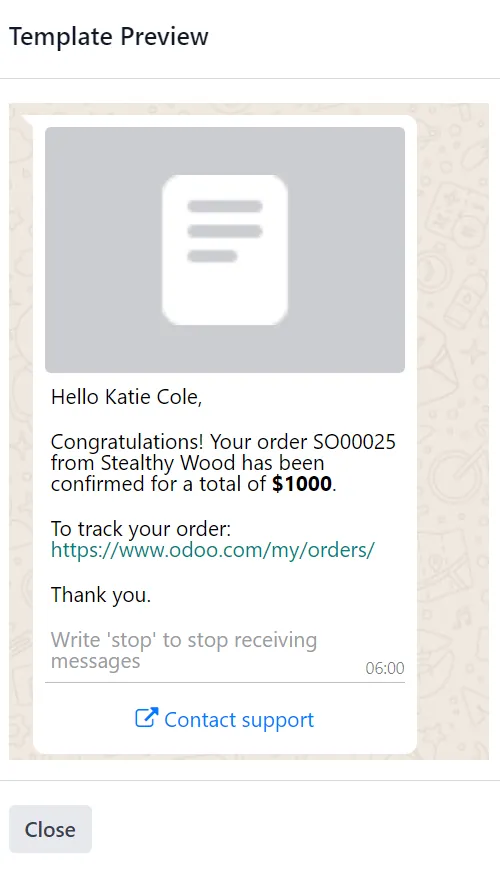
Use the pre-configured templates or make custom templates to send invoices, event tickets, POS receipts and much much more! Create your own custom templates using buttons and dynamic placeholders to insert unique data!
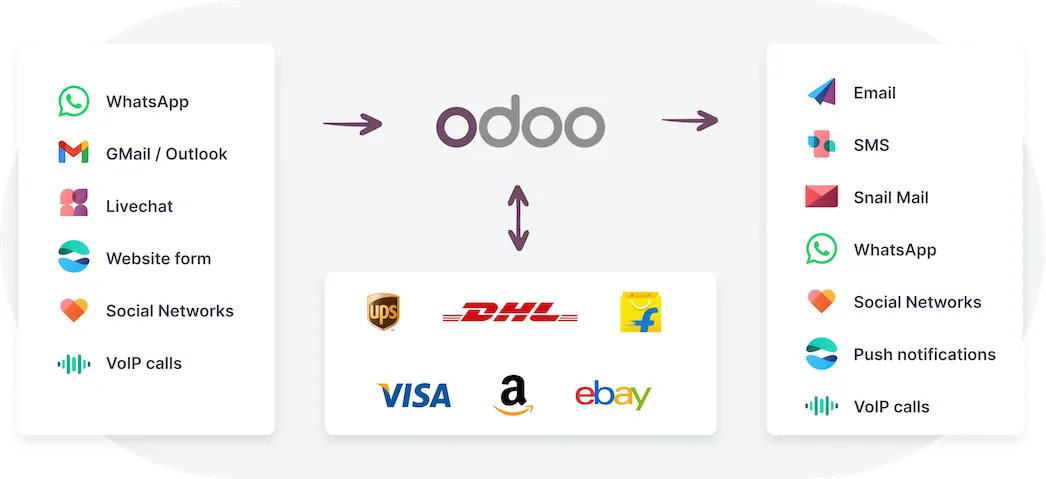
The only platform to unify all touchpoints in a single platform. It's so easy: just chat in Odoo Discuss, and messages are sent to the right channel automatically.
The power of Odoo DiscussWhatsApp works side-by-side with emails, SMS, chats, video conferences, ... all while being integrated on the business documents, like quotations, invoices, events, etc.
Standard Odoo first. We set it up on a staging database, migrate your data, train your team and stay on after go-live.
 AIAssistants and agents inside Odoo.
 DiscussChat, channels and notifications.
 ApprovalsRequest and approve anything.
 IoTConnect scales, printers and devices.
 AccountingJournals, bank sync, tax reports and closing.
 SalesQuotations, orders and upsells.
Product descriptions, screenshots and videos are © Odoo S.A., reproduced for reference from odoo.com. TechNext is an Odoo Ready Partner; we implement and support Odoo.
Keep the system you run today. Our own experts add WhatsApp as a plug-in in your system and quote it in writing first.
2027 BIR Audit Guide · sent by our team
Four details. A BIR Compliance Expert sends the guide to your work email within one business day. Inside: the eLA rules, the 10-day document rule, what examiners ask for, and a routine for audit requests.