
Odoo Timesheets in Singapore & the Philippines
Time is recorded against projects and tasks with a timer and team views, and billable hours flow into invoices. We set up your projects, billing rules and approvals and train your staff.
 Odoo · Timesheets
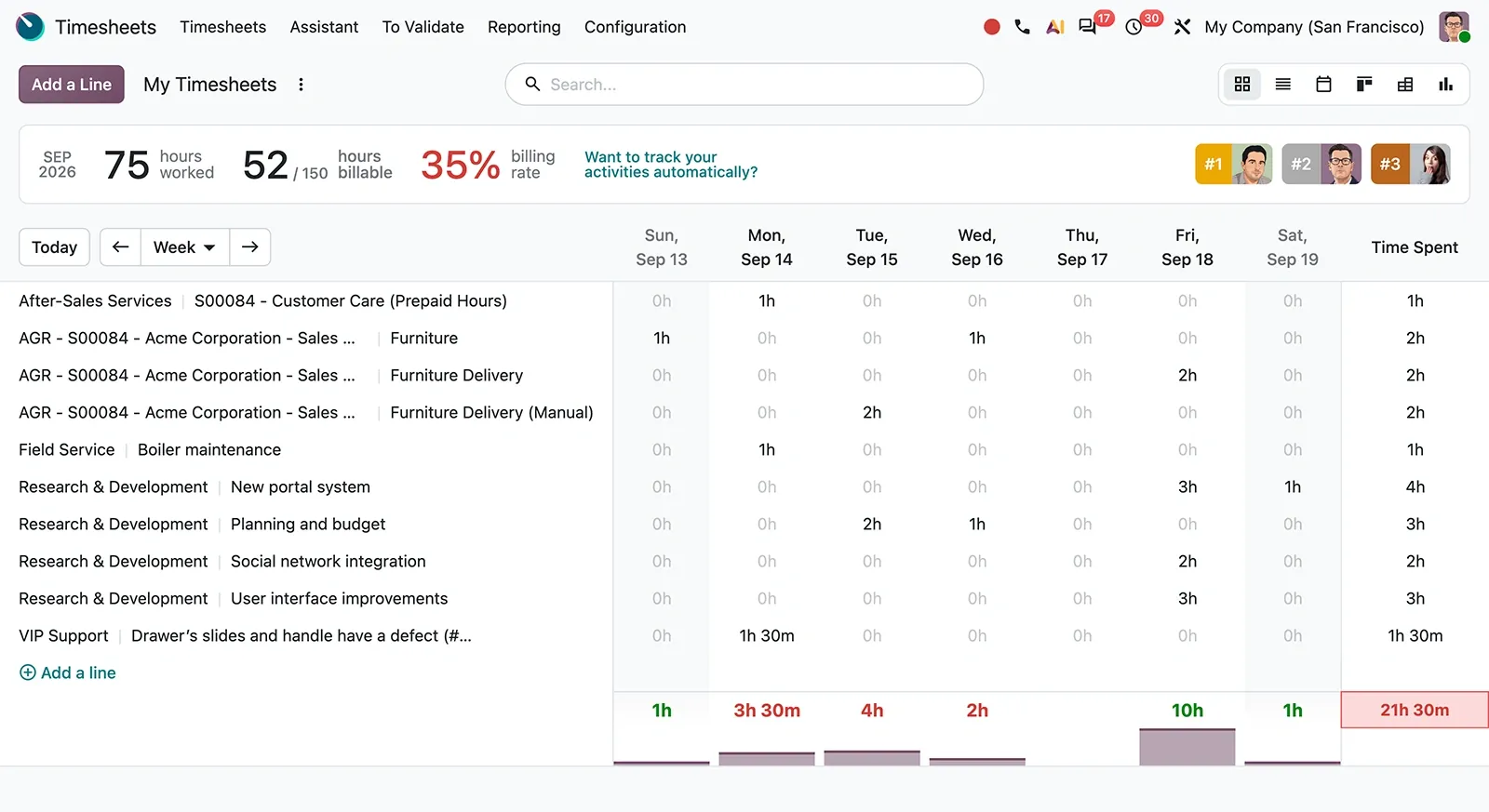


Odoo Timesheets in one paragraph
Odoo Timesheets: time tracking billed to projects. TechNext, an Odoo Ready Partner headquartered in Singapore with teams in the Philippines and Vietnam, sets it up on a staging copy of your database, migrates your data, trains the people who use it and supports it after go-live.
In Odoo 20, a timer in the top menu logs time from any screen, and the ActivityWatch integration turns device activity into timesheets while keeping the data private. The Timesheets dashboard compares billing targets with billable time. What changed in Odoo 20.
How a timesheet moves through Odoo Timesheets.
Sample timesheets run through Odoo Timesheets the way TechNext sets it up: 5 states, the exceptions and loops that really happen, and the hand-offs into Sales, Invoicing and Project. Hover a state to see what happens there.
- In progress
- 0
- Completed
- 0
- Exceptions
- 0
- Hand-offs
- 0
- LoggedTimer or grid
- SubmittedWeek sent
- ValidatedManager approves
- BillableLinked to a sales order line
- InvoicedOn the next invoice
Exceptions and loops
- Corrected before validation
What TechNext configures
- Timers on tasks
- Validation by manager
- Billable rates per employee or service
Main path: Logged → Submitted → Validated → Billable → Invoiced.
Sample records. Your stages, rules and hand-offs are configured in discovery.
Timesheets in action.
Official Odoo videos. Nothing loads until you press play.
Get my custom blueprint See Timesheets on your own data, as a plug-in in your system.
Timesheets, section by section.
The product as Odoo presents it. TechNext configures each part to your process.
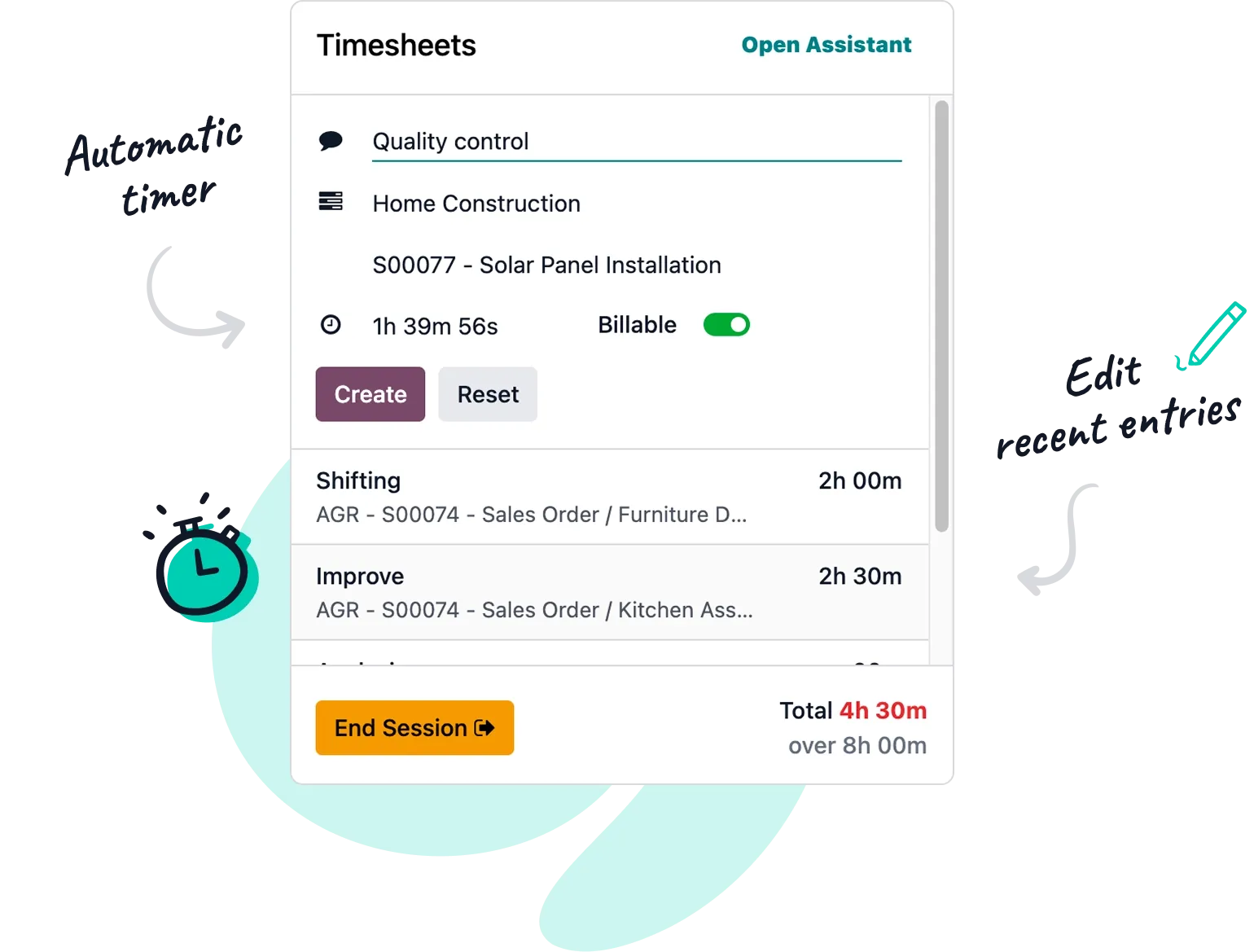
Start the work. Stop the timer .
Smart time tracking. The timer starts automatically the moment you check in. Just stop it when you're done, link your time to a project, and your timesheet is done!
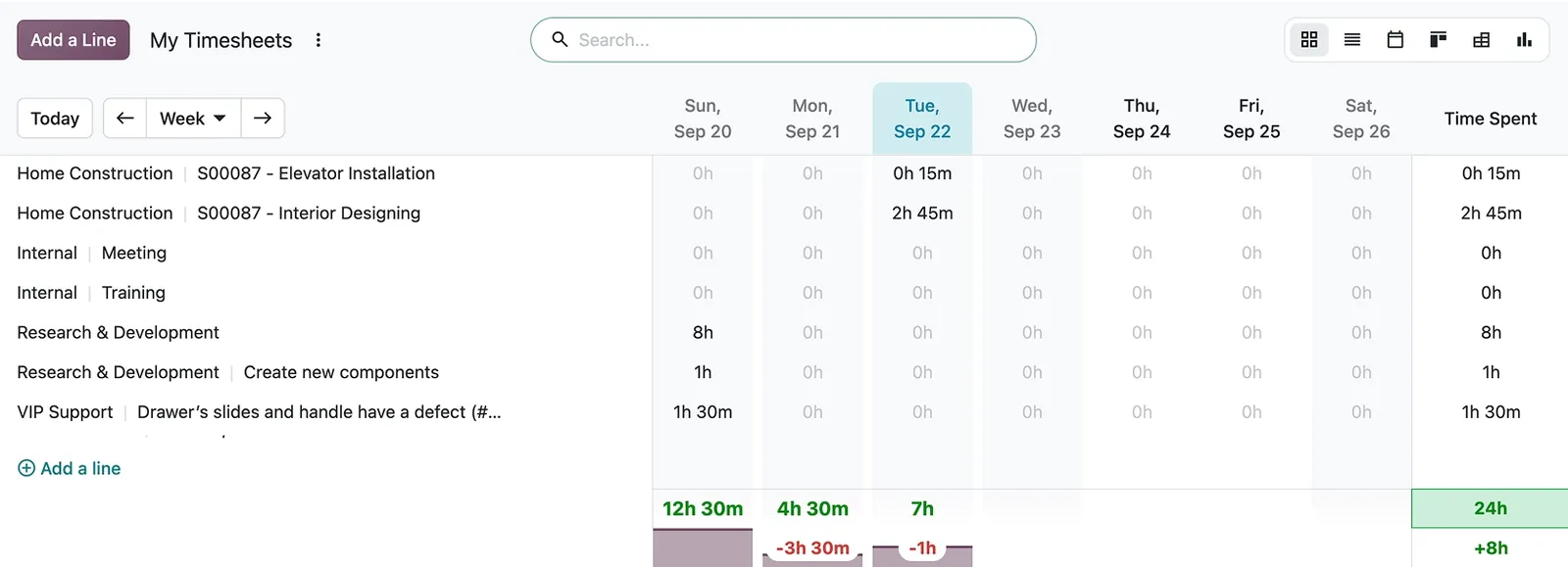
Timesheeting, no longer time-consuming
All in one place. Check your timesheets, and those of your team members, in a glimpse.
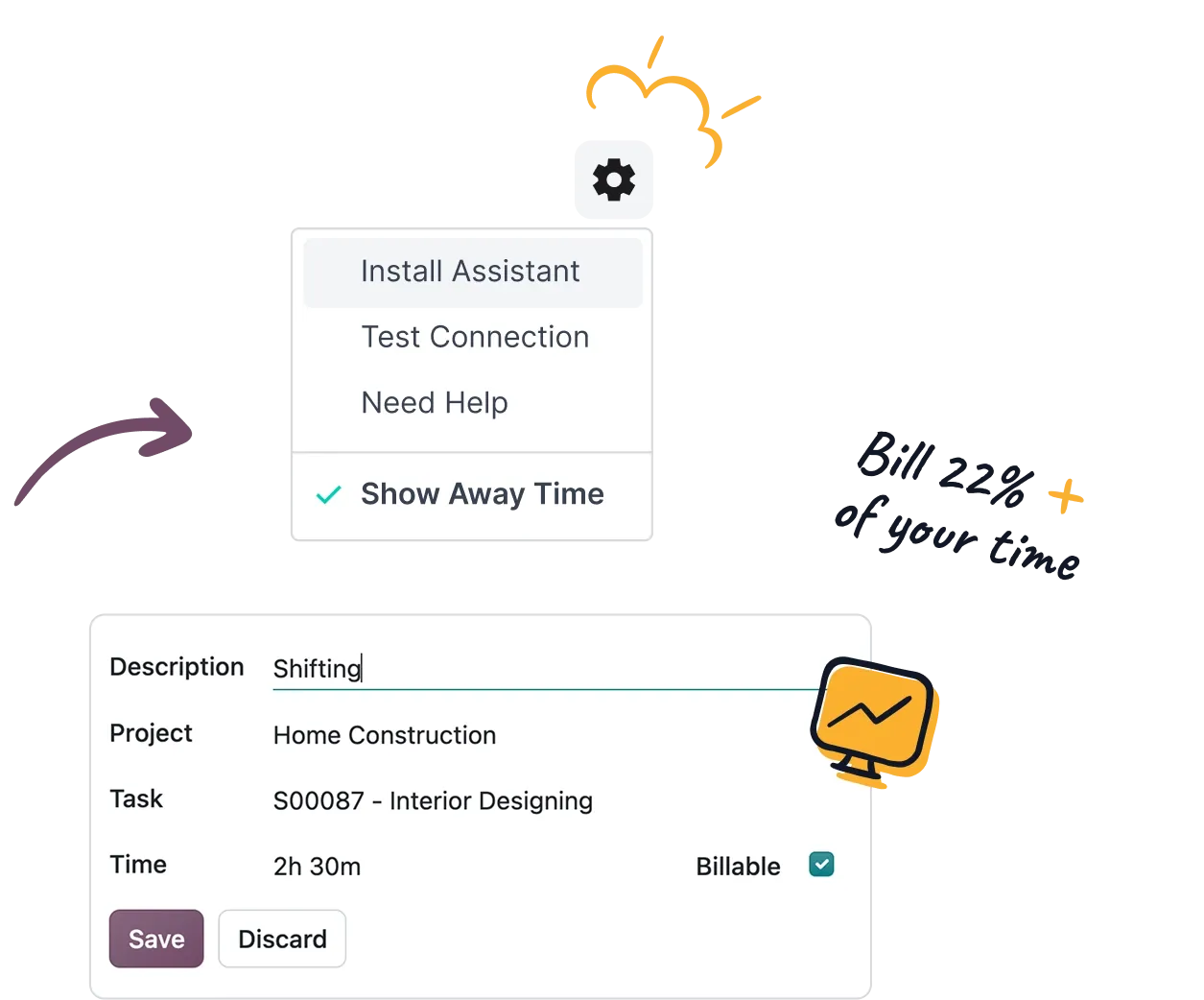
Automated timesheets, zero effort
Stop wasting hours tracking minutes. The timesheet assistant securely monitors your desktop and browser activity to build accurate timesheets automatically.

Time is money
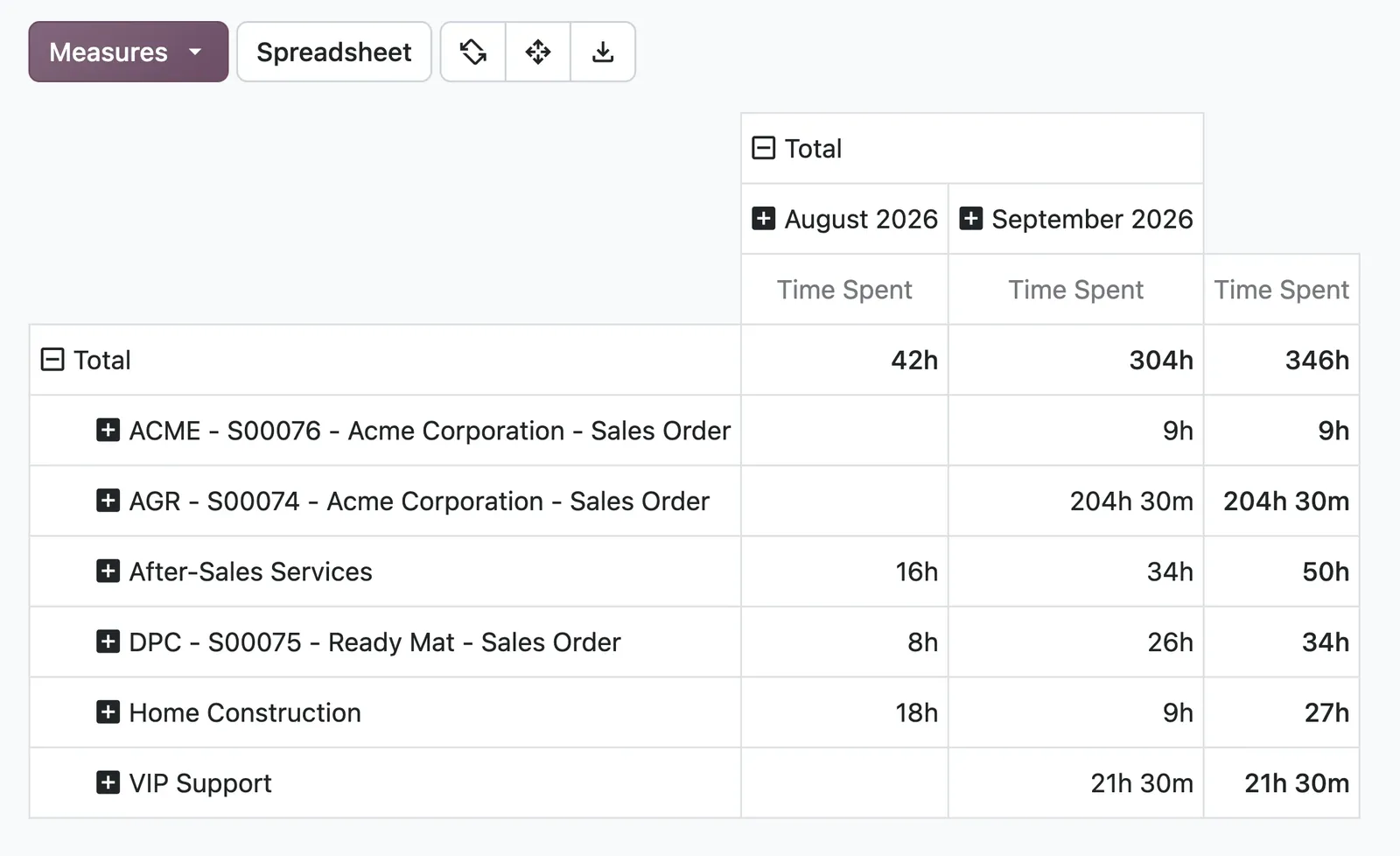
Keep it profitable. Get an overview of your billable time by team member, project, task, and billing type.
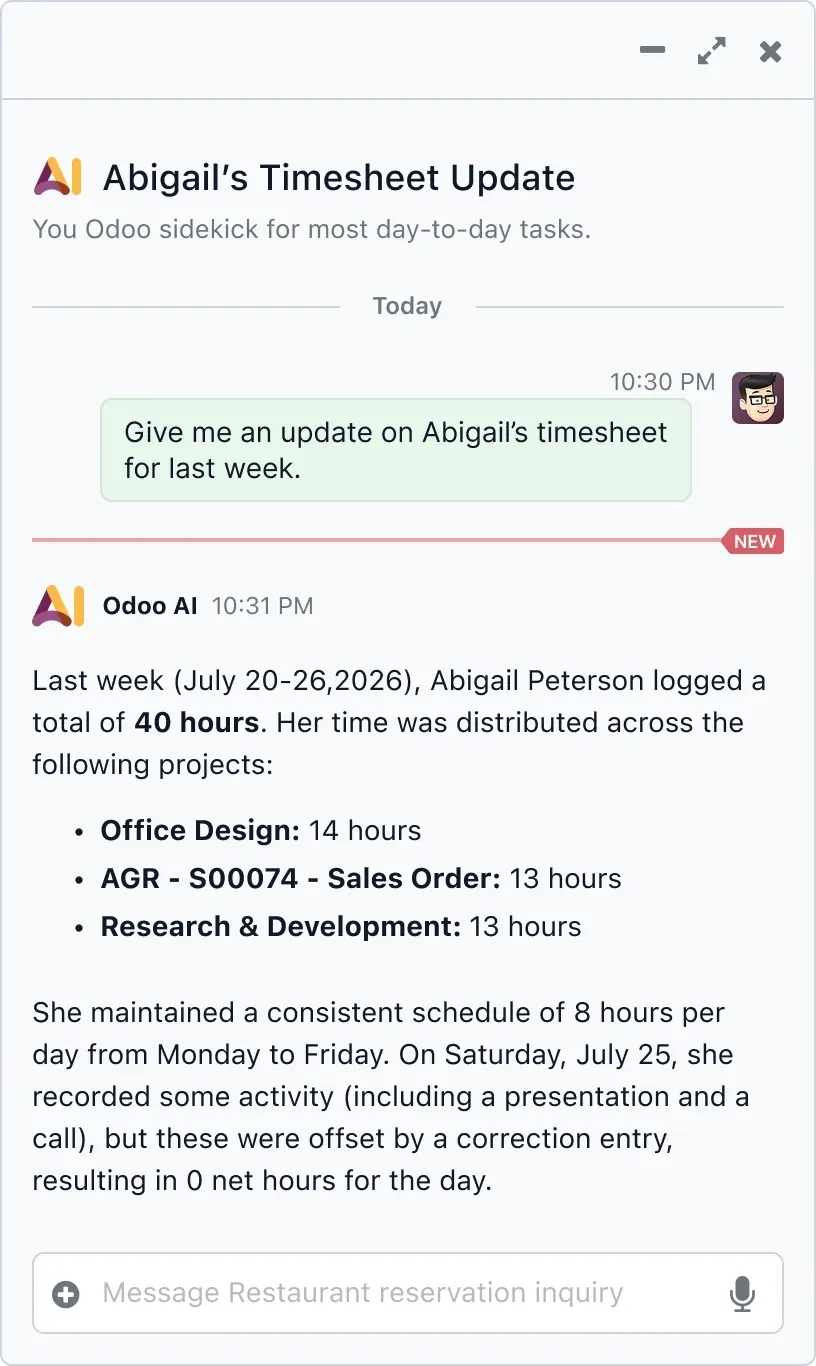
Save even more time with AI
Get rich insights. Ask Odoo's integrated artificial intelligence for employee timesheet updates, team performance reports, average logged hours, and more.
Inside the app.

Timesheets, configured to how you work.
Standard Odoo first. We set it up on a staging database, migrate your data, train your team and stay on after go-live.
- Discovery: we map how the process runs today and match it to the app
- Configuration on a staging database, checked against real records
- Training for the people who will use it, on your own data
- Support after go-live: fixes, changes and upgrades
Apps that share the same database.
 Field ServiceOn-site jobs, run in Planning from Odoo 20.
 HelpdeskTickets, SLAs and knowledge base.
 PlanningShifts, resources and field service.
 AppointmentsOnline booking calendars.
 AccountingJournals, bank sync, tax reports and closing.
 SalesQuotations, orders and upsells.
Product descriptions, screenshots and videos are © Odoo S.A., reproduced for reference from odoo.com. TechNext is an Odoo Ready Partner; we implement and support Odoo.
Put Timesheets to work for your BIR requirements.
Keep the system you run today. Our own experts add Timesheets as a plug-in in your system and quote it in writing first.