DeadlinesE-Invoicing by Dec 31, 20262026 Computerized Books in ORUS by Jan 30, 2027E-Invoicing Dec 31 · ORUS Jan 30

Check Readiness
TechNext

Odoo CRM in Singapore & the Philippines

Every lead and deal sits in one pipeline, with follow-ups scheduled and a quotation created from each won opportunity. We shape the stages to how your team sells, bring in your contacts and open deals, and train your sales team.

Odoo Ready Partner TechNext focus app

Works withSalesPoint of Sale — ShopPoint of Sale — RestaurantSubscriptions

Odoo CRM in one paragraph

Odoo CRM: leads, pipeline and activities. TechNext, an Odoo Ready Partner headquartered in Singapore with teams in the Philippines and Vietnam, sets it up on a staging copy of your database, migrates your data, trains the people who use it and supports it after go-live.

In Odoo 20, lead generation uses Dun & Bradstreet company data instead of Clearbit, a dropdown switches between teams' pipelines, and assignment rules keep each salesperson in rotation, in rotation with a limit, or out of it. A customer's subscriptions show on their leads, so upsells and renewals start there. What changed in Odoo 20.

See it on my data How we set it up

How an opportunity moves through Odoo CRM.

Sample opportunities run through Odoo CRM the way TechNext sets it up: 5 states, the exceptions and loops that really happen, and the hand-offs into Sales, Email Marketing and Sign. Hover a state to see what happens there.

Odoo CRM · opportunity lifecycleSample records · 5 states · 3 hand-offs
In progress
0
Completed
0
Exceptions
0
Hand-offs
0
  1. NewFrom a web form, email alias, chat or event list
  2. QualifiedNeed, budget and timing checked
  3. PropositionQuotation sent
  4. WonDeal closed
  5. LostReason recorded

Exceptions and loops

  • Not a fit: lost reason logged
  • Needs change: back to qualified
  • Lost to a competitor

What TechNext configures

  • Assignment rules by team and territory
  • Lead scoring
  • Scheduled activities per stage

Main path: New → Qualified → Proposition → Won.

Sample records. Your stages, rules and hand-offs are configured in discovery.

Talk to a compliance engineer How we set it up for you

CRM in action.

Official Odoo videos. Nothing loads until you press play.

Get my custom blueprint See CRM on your own data, as a plug-in in your system.

CRM, section by section.

The product as Odoo presents it. TechNext configures each part to your process.

Odoo CRM — Effortless communication means no miscommunication

Effortless communication means no miscommunication

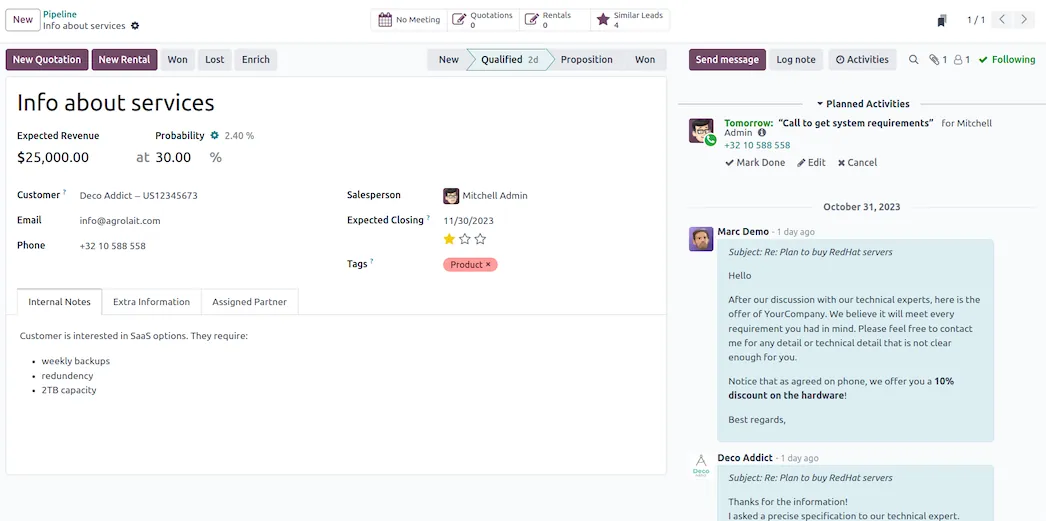
Communication is key to enhancing customer relationships. Incoming emails are automatically added to your pipeline, and all contact with your team and customers is made from a single place, ensuring easy access to information at all times.

  • Email
  • Live chat
  • SMS
  • VoIP
Odoo CRM — Attractive quotations in two clicks

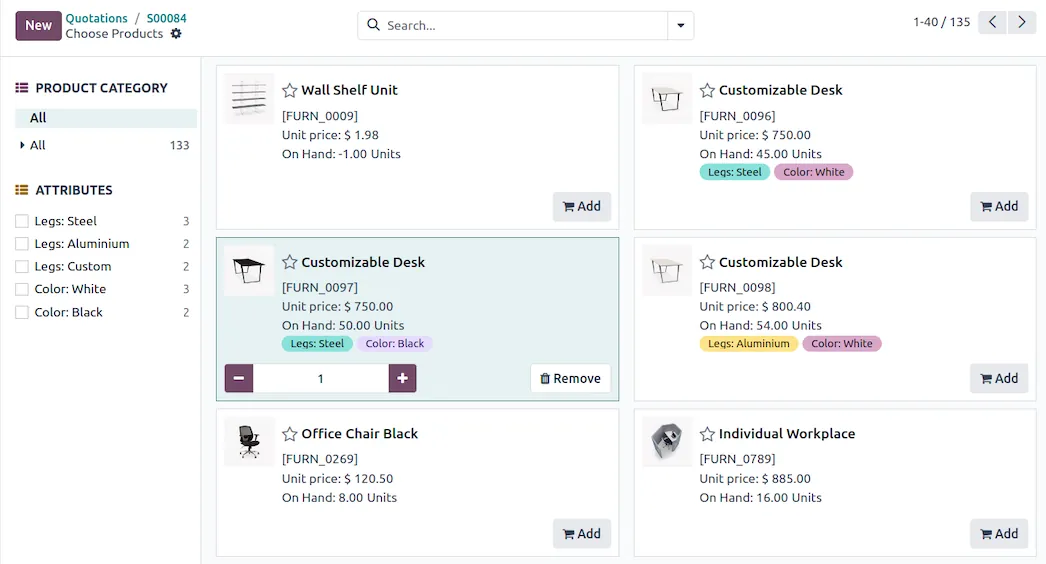
Attractive quotations in two clicks

Create professional-looking quotations in no time with the user-friendly interface of our sales tool. Select your products from the catalog and let Odoo handle the rest.

Odoo CRM — Turn reporting data into money

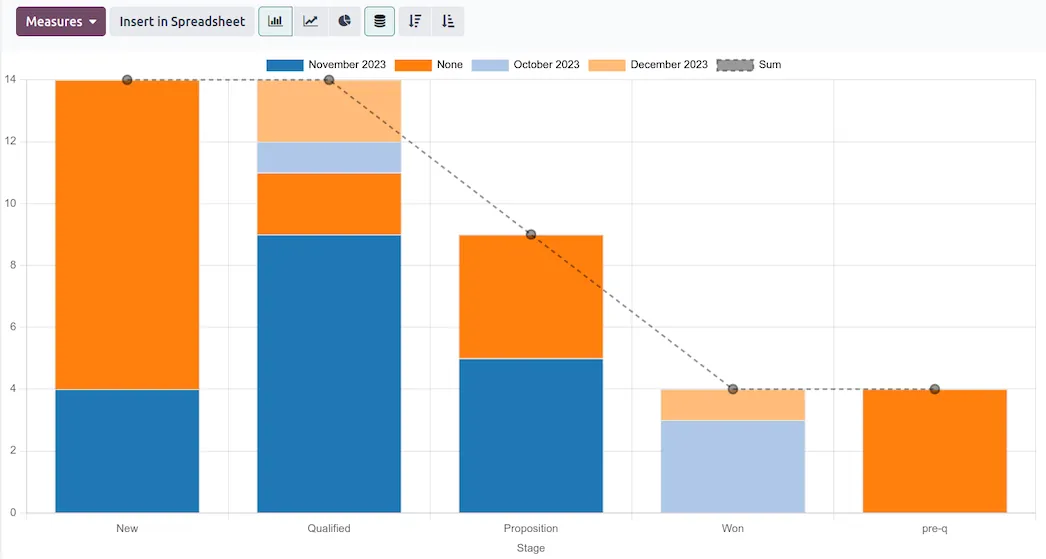
Turn reporting data into money

Smart decisions for your sales strategy should be based on accurate and real-time data. Dig deeper into your sales metrics with revenue forecasts, team performance analysis, and custom dashboards.

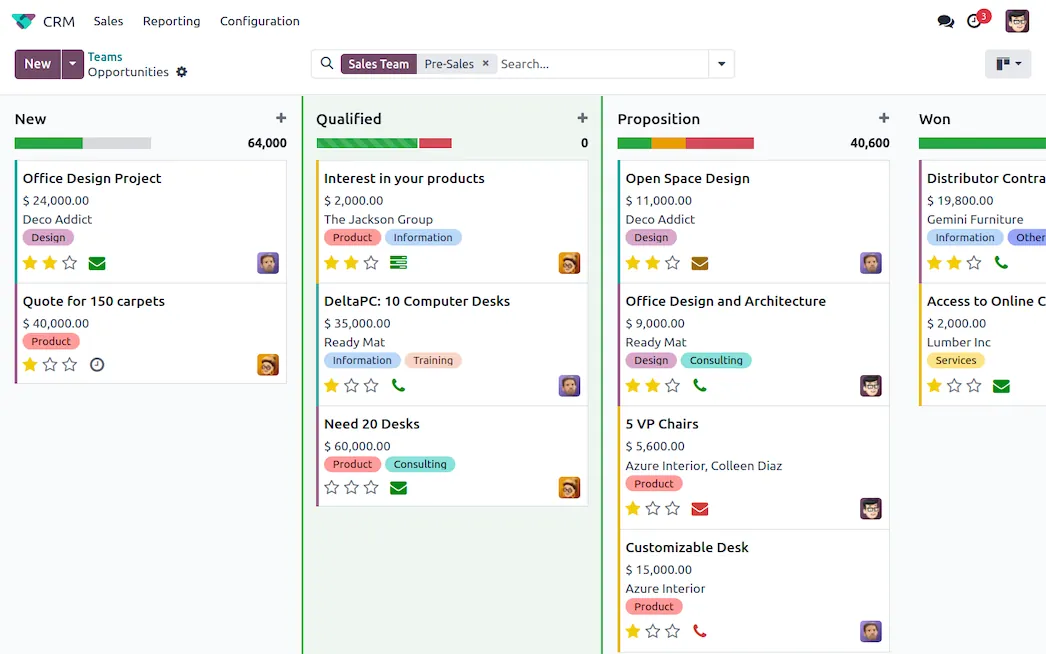
Track opportunities easily in the sales software

In our Customer Relationship Management (CRM) system, each opportunity is listed as a card with all the essential information. Each stage gives an overview of your expected revenues.

Keep track of every follow-up

Schedule calls, meetings, mailings, or quotations in a few clicks in the contact management software. Odoo automatically plans the next activity based on your sales script.

How we set it up for you

Inside the app.

Odoo CRM screenshot 1
Odoo CRM · screenshot from odoo.com

How we set it up for you

CRM, configured to how you work.

Standard Odoo first. We set it up on a staging database, migrate your data, train your team and stay on after go-live.

  1. Pipeline stages per team with required fields
  2. Lead capture from web forms, email and WhatsApp
  3. Assignment rules and scheduled activities
  4. Won opportunity → quotation without re-entry

Put CRM to work for your BIR requirements.

Keep the system you run today. Our own experts add CRM as a plug-in in your system and quote it in writing first.