
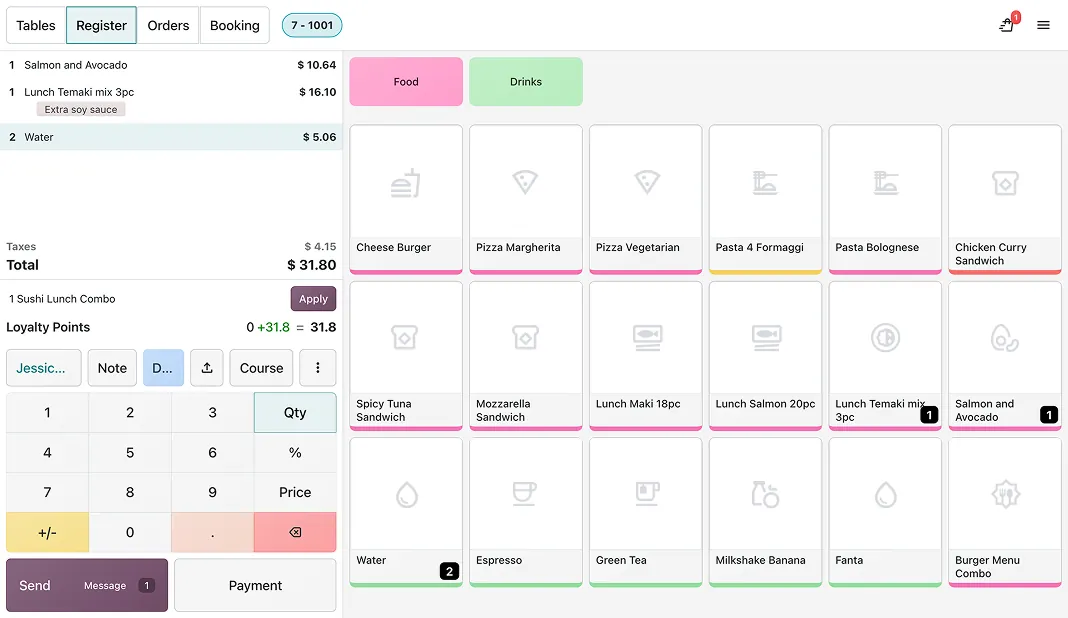

 No more kitchen chaos
Keep your orders moving fast. The preparation display lets your staff know exactly what to make and when. Dedicated kitchen and bar views ensure smooth service around the clock.
DeadlinesE-Invoicing by Dec 31, 20262026 Computerized Books in ORUS by Jan 30, 2027E-Invoicing Dec 31 · ORUS Jan 30
Check ReadinessTables, orders, kitchen screens and bills run from one system, with dine-in, kiosk and online orders in the same view. We set up your floor plan, menu and kitchen display, then train your front-of-house and kitchen staff.
Works with Subscriptions
 Rental
 CRM
 Sales
Odoo Point of Sale — Restaurant: tables, kitchen printing, bills. TechNext, an Odoo Ready Partner headquartered in Singapore with teams in the Philippines and Vietnam, sets it up on a staging copy of your database, migrates your data, trains the people who use it and supports it after go-live.
In Odoo 20, guests can scan an order-specific QR code to order and pay after the meal, notes left at self-order checkout reach the kitchen display, and the POS suggests turning order lines into combos for big tables. Service fees can be added through presets. What changed in Odoo 20.
Sample table orders run through Odoo Point of Sale (Restaurant) the way TechNext sets it up: 5 states, the exceptions and loops that really happen, and the hand-offs into Manufacturing, Accounting and Inventory. Hover a state to see what happens there.
Exceptions and loops
What TechNext configures
Main path: Seated → Ordered → Served → Bill → Paid.
Sample records. Your stages, rules and hand-offs are configured in discovery.
Official Odoo videos. Nothing loads until you press play.
Get my custom blueprint See Point of Sale — Restaurant on your own data, as a plug-in in your system.
The product as Odoo presents it. TechNext configures each part to your process.

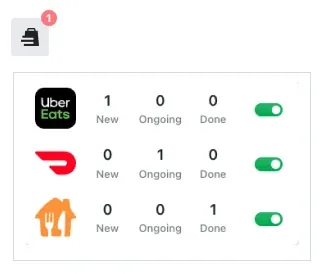
Stop juggling multiple screens. Whether an order originates from your kiosk, website, dining room, or third-party delivery apps, manage every order seamlessly from one unified control center.
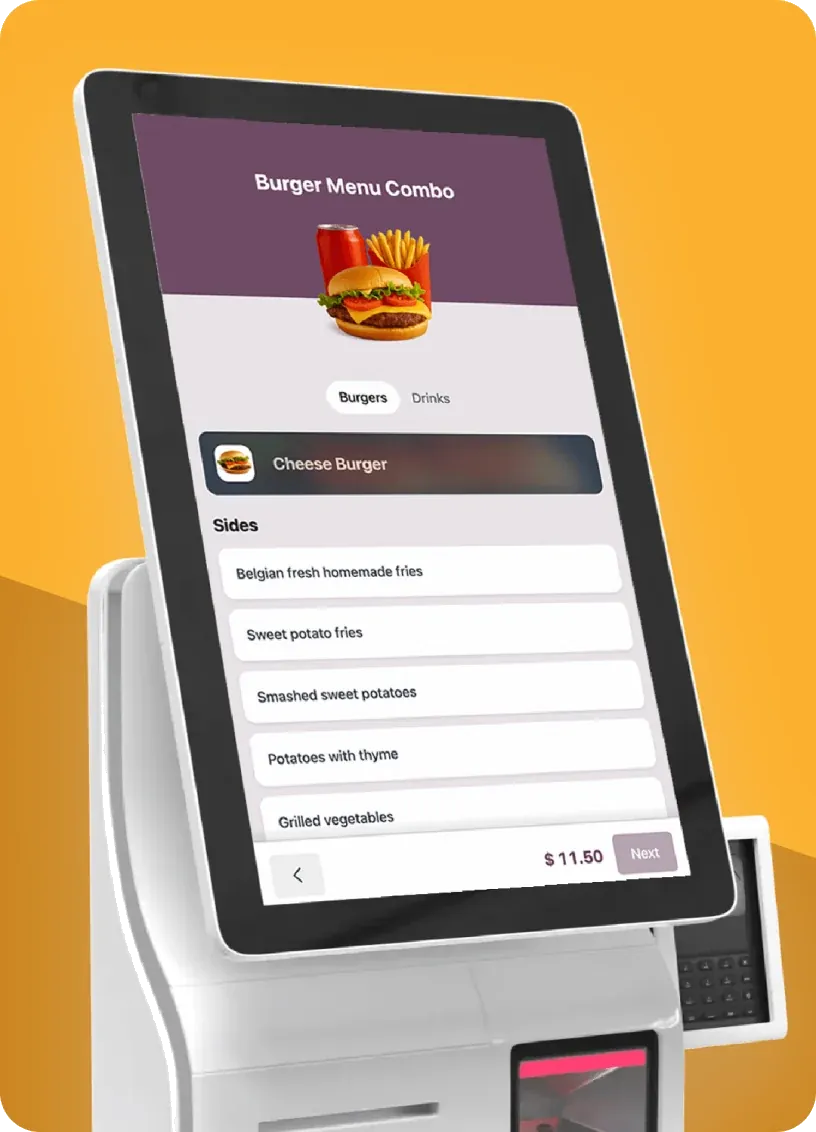
Give your clients the power to order and pay instantly from a kiosk or their own phone. Slash wait times, free your servers to deliver great hospitality, and watch your average order size soar.
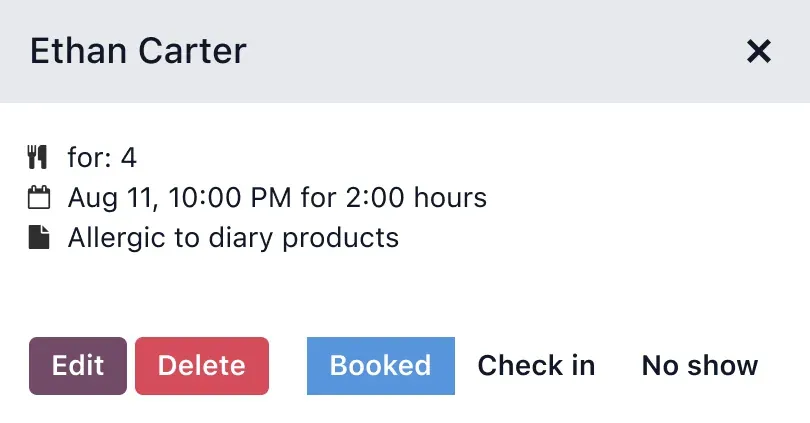
Let guests book instantly from your website, Google Maps, or Search via Reserve with Google. Then manage every reservation from a single, unified dashboard.
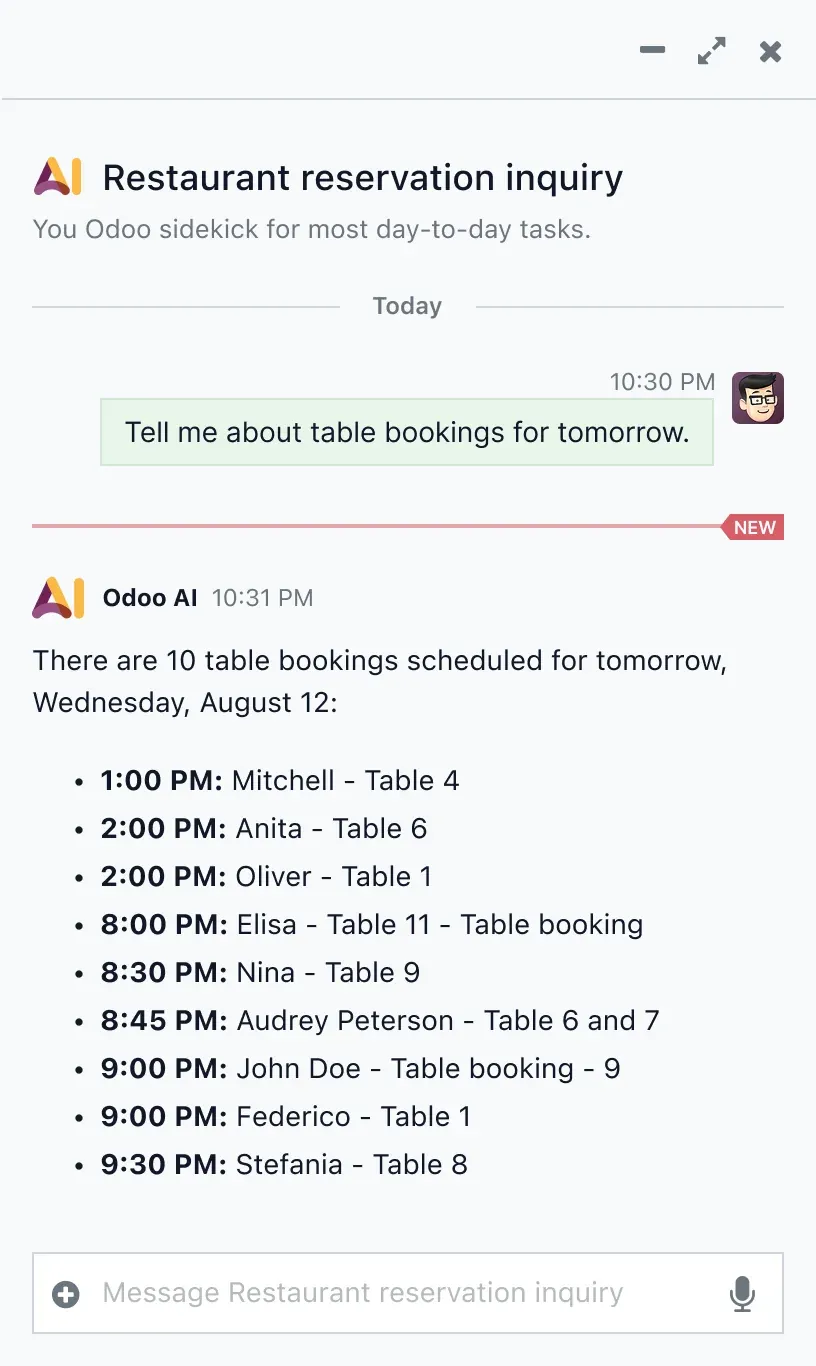
Get rich insights. Ask Odoo's integrated artificial intelligence for the number of tables booked tonight, your monthly revenue, or your margin per product category.
No more kitchen chaosKeep your orders moving fast. The preparation display lets your staff know exactly what to make and when. Dedicated kitchen and bar views ensure smooth service around the clock.




Standard Odoo first. We set it up on a staging database, migrate your data, train your team and stay on after go-live.
For Philippine companies. In the Philippines, restaurant POS invoices can carry the EOPT invoice fields, and the day's takings post to Odoo Accounting for your BIR reports. Your POS units need their own BIR registration, which you apply for. For covered taxpayers we also plan for e-invoicing by 31 December 2026. Read Odoo in the Philippines and What a BIR invoice must show.
SubscriptionsRecurring billing and renewals.RentalBook, pick up and return assets.CRMLeads, pipeline and activities.SalesQuotations, orders and upsells. AccountingJournals, bank sync, tax reports and closing.
 InventoryMulti-warehouse stock, barcodes, replenishment.
Product descriptions, screenshots and videos are © Odoo S.A., reproduced for reference from odoo.com. TechNext is an Odoo Ready Partner; we implement and support Odoo.
Keep the system you run today. Our own experts add Point of Sale — Restaurant as a plug-in in your system and quote it in writing first.
2027 BIR Audit Guide · sent by our team
Four details. A BIR Compliance Expert sends the guide to your work email within one business day. Inside: the eLA rules, the 10-day document rule, what examiners ask for, and a routine for audit requests.