
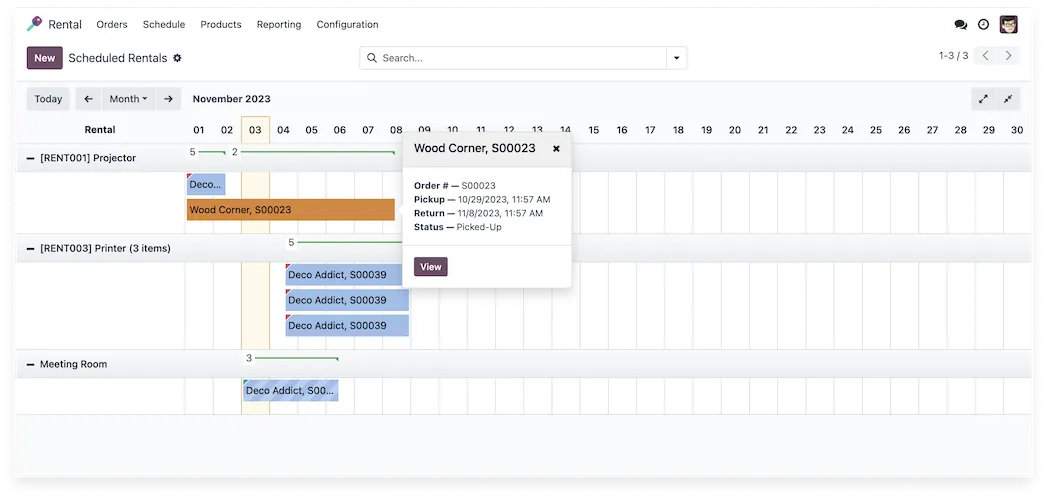


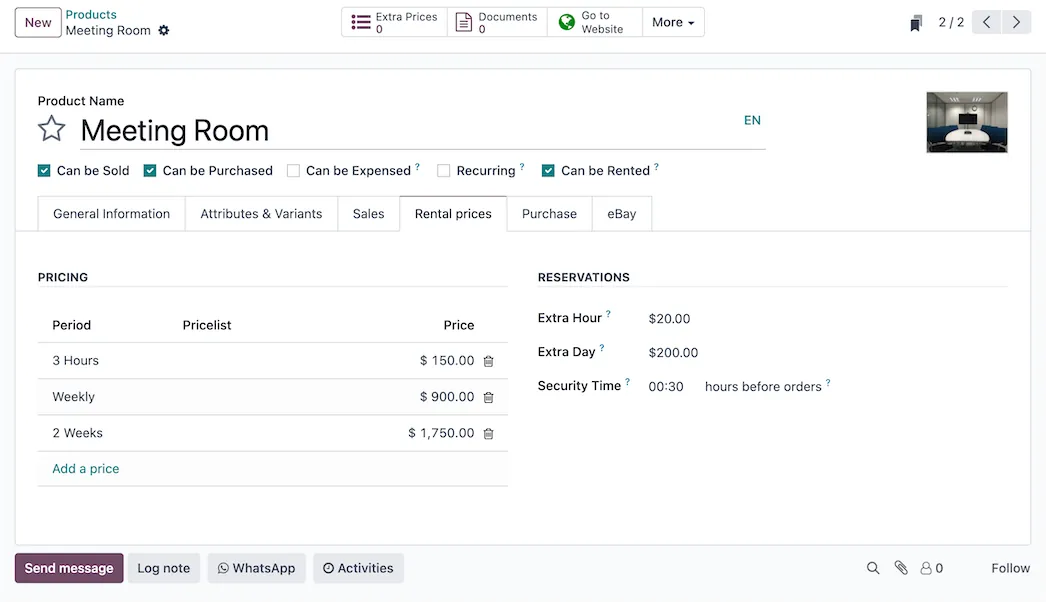
 Time is money … literally
Whether you rent by the hour, week, month or year, create customized pricing for every product based on different time frames.
DeadlinesE-Invoicing by Dec 31, 20262026 Computerized Books in ORUS by Jan 30, 2027E-Invoicing Dec 31 · ORUS Jan 30
Check ReadinessAssets are booked by the hour, day or week, availability is checked as you quote, and pick-ups and returns are tracked. We set up your rental products and prices, load current bookings and train your team.
Works with CRM
 Sales
 Point of Sale — Shop
 Point of Sale — Restaurant
Odoo Rental: book, pick up and return assets. TechNext, an Odoo Ready Partner headquartered in Singapore with teams in the Philippines and Vietnam, sets it up on a staging copy of your database, migrates your data, trains the people who use it and supports it after go-live.
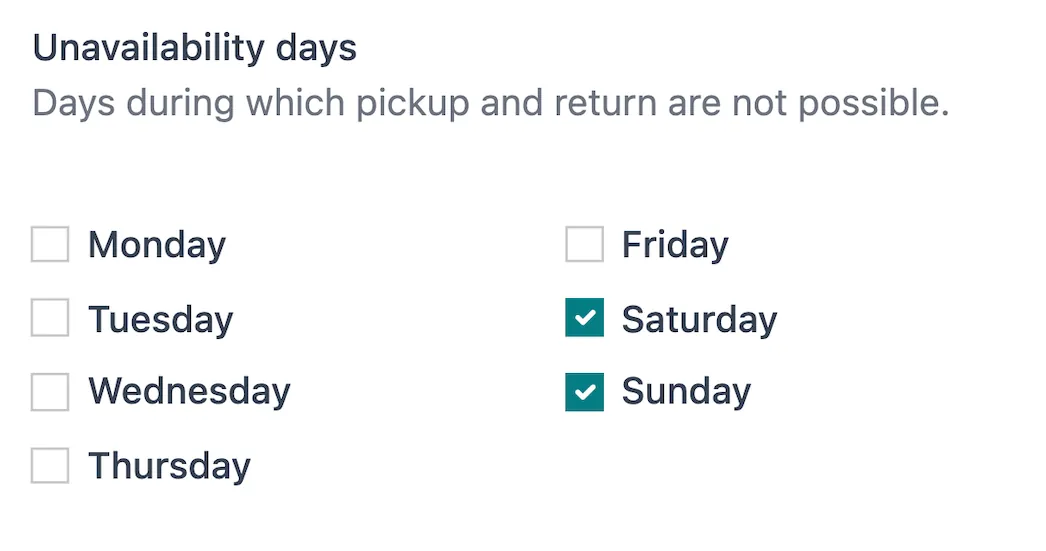
In Odoo 20, rental products go on an ordinary sales order with a rental period, sales, subscription and rental prices share one pricelist engine, and working schedules replace unavailability days. What changed in Odoo 20.
Sample rental orders run through Odoo Rental the way TechNext sets it up: 5 states, the exceptions and loops that really happen, and the hand-offs into Inventory, Invoicing and Sign. Hover a state to see what happens there.
Exceptions and loops
What TechNext configures
Main path: Quotation → Reserved → Picked up → Returned → Invoiced.
Sample records. Your stages, rules and hand-offs are configured in discovery.
Official Odoo videos. Nothing loads until you press play.
Get my custom blueprint See Rental on your own data, as a plug-in in your system.
The product as Odoo presents it. TechNext configures each part to your process.
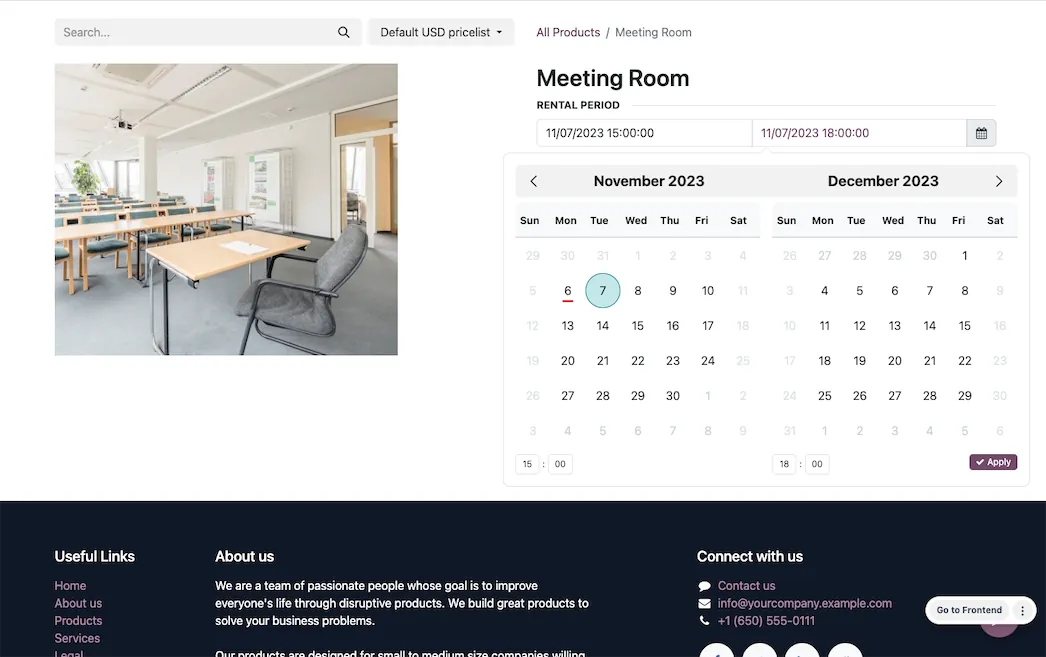
Online booking and reservations have never been easier thanks to integrations with Odoo's eCommerce application. Customers can shop available products, reserve their selected dates, and checkout right on the website.
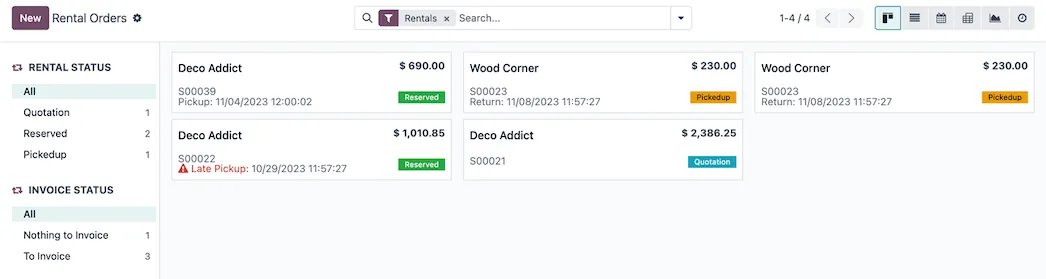
With one click, know exactly who is picking up and who is dropping off. Stay on top of your day by tracking the status of rentals and invoices from one easy dashboard.
Time is money … literallyWhether you rent by the hour, week, month or year, create customized pricing for every product based on different time frames.
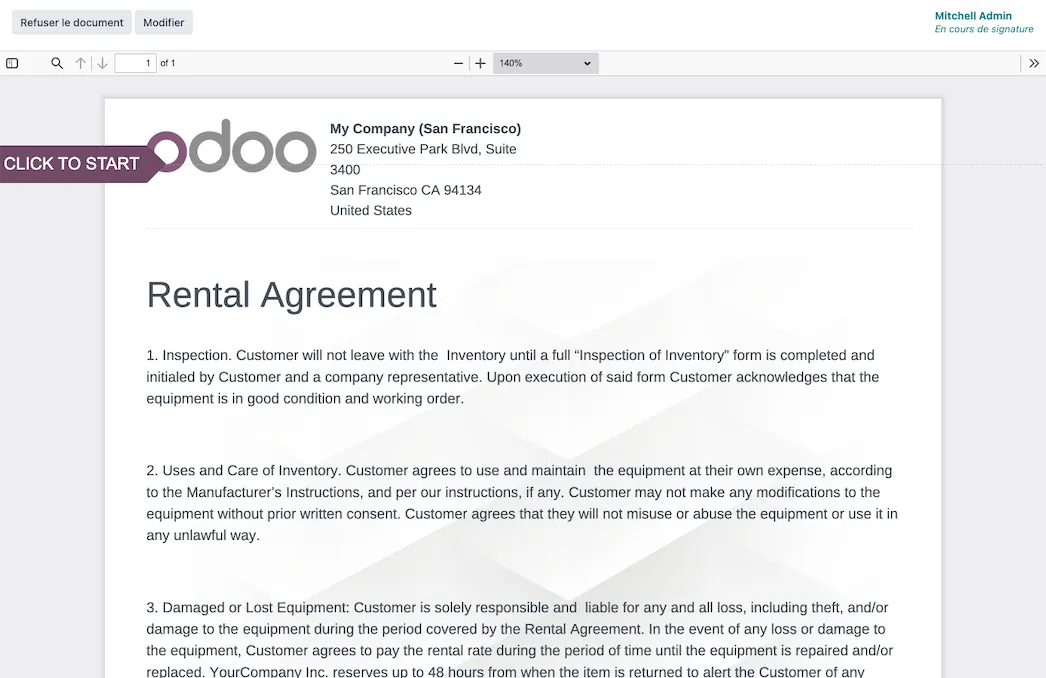
Signature requests on requestUpload rental agreements, insurance forms, contracts, and more, request a customer signature digitally before any products ever leave your warehouse.
Standard Odoo first. We set it up on a staging database, migrate your data, train your team and stay on after go-live.
CRMLeads, pipeline and activities.SalesQuotations, orders and upsells.Point of Sale — ShopOffline-ready retail checkout.Point of Sale — RestaurantTables, kitchen printing, bills. AccountingJournals, bank sync, tax reports and closing.
 InventoryMulti-warehouse stock, barcodes, replenishment.
Product descriptions, screenshots and videos are © Odoo S.A., reproduced for reference from odoo.com. TechNext is an Odoo Ready Partner; we implement and support Odoo.
Keep the system you run today. Our own experts add Rental as a plug-in in your system and quote it in writing first.
2027 BIR Audit Guide · sent by our team
Four details. A BIR Compliance Expert sends the guide to your work email within one business day. Inside: the eLA rules, the 10-day document rule, what examiners ask for, and a routine for audit requests.