
Odoo Spreadsheet (BI) in Singapore & the Philippines
Pivots, charts and dashboards read live from your Odoo data, so reports no longer depend on exports to a spreadsheet. We build the first dashboards with your managers, then train your team to edit them.
Works with Documents
 Sign
 Accounting
 Invoicing
 Odoo · Spreadsheet (BI)
Odoo Spreadsheet (BI) in one paragraph
Odoo Spreadsheet (BI): live pivots and dashboards on Odoo data. TechNext, an Odoo Ready Partner headquartered in Singapore with teams in the Philippines and Vietnam, sets it up on a staging copy of your database, migrates your data, trains the people who use it and supports it after go-live.
Odoo 20 adds private dashboards for chosen users, favourite and default filters, a fiscal year filter, and carousels that keep dashboards readable on a phone. Spreadsheets gain calendar and bubble charts, named ranges, locked sheets and a print preview. What changed in Odoo 20.
How a dashboard moves through Odoo Spreadsheet (BI).
Sample dashboards run through Odoo Spreadsheet (BI) the way TechNext sets it up: 5 states, the exceptions and loops that really happen, and the hand-offs into Sales, Accounting and Inventory. Hover a state to see what happens there.
- In progress
- 0
- Completed
- 0
- Exceptions
- 0
- Hand-offs
- 0
- Data sourcePivot or list from any Odoo app
- SpreadsheetFormulas on live Odoo data
- DashboardPublished for a team
- SharedAccess by user group
- RefreshedAlways the latest data
Exceptions and loops
- New question: add a pivot, keep the sheet
What TechNext configures
- Ready-made dashboards per app
- Global filters by period, company and team
- No exports to keep up to date
Main path: Data source → Spreadsheet → Dashboard → Shared → Refreshed.
Sample records. Your stages, rules and hand-offs are configured in discovery.
Spreadsheet (BI) in action.
Official Odoo videos. Nothing loads until you press play.
Get my custom blueprint See Spreadsheet (BI) on your own data, as a plug-in in your system.
Spreadsheet (BI), section by section.
The product as Odoo presents it. TechNext configures each part to your process.
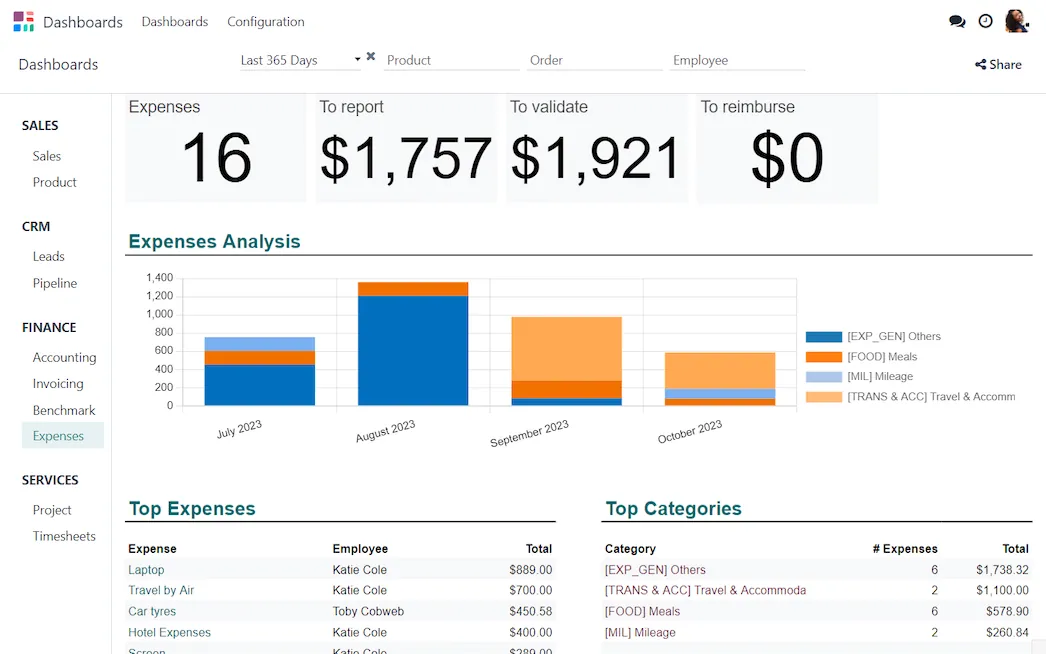
No more copy/paste Real-time data
No export-import hassle. Your data is automatically incorporated from your database into charts and spreadsheets, keeping your information up-to-date.
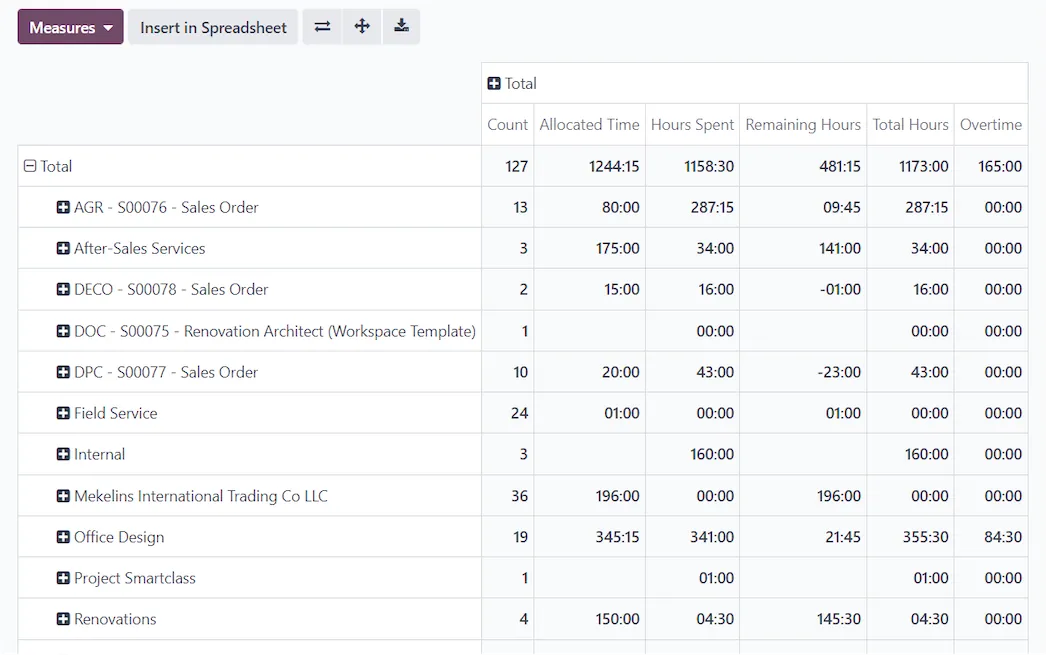
Your business's pivot moment
Dynamic reports. Create and view customized reports effortlessly using a user-friendly pivot view with real-time data updates.
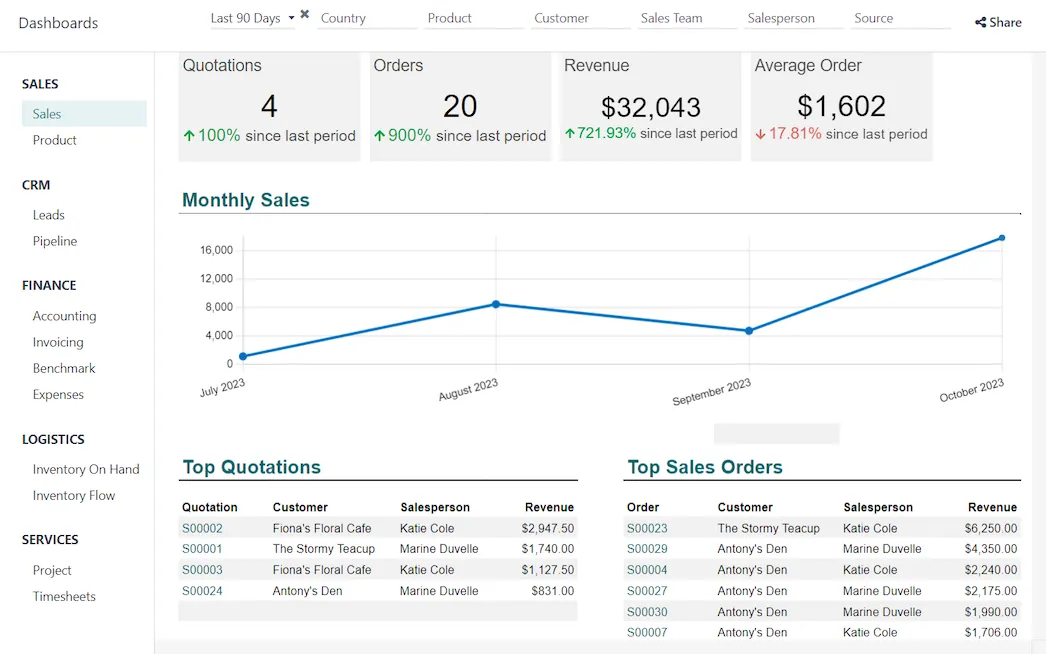
Visualize, decide, succeed
One dashboard to access all information. Your data is sorted into customizable categories and translated into visual representations for easy comprehension and informed decision-making.
Inside the app.
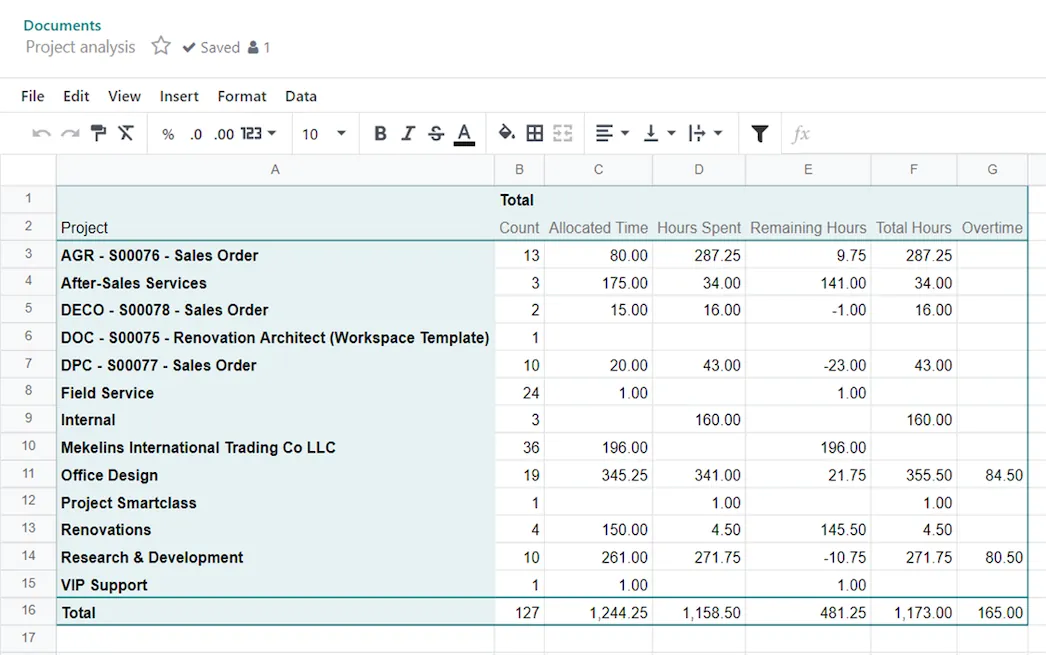
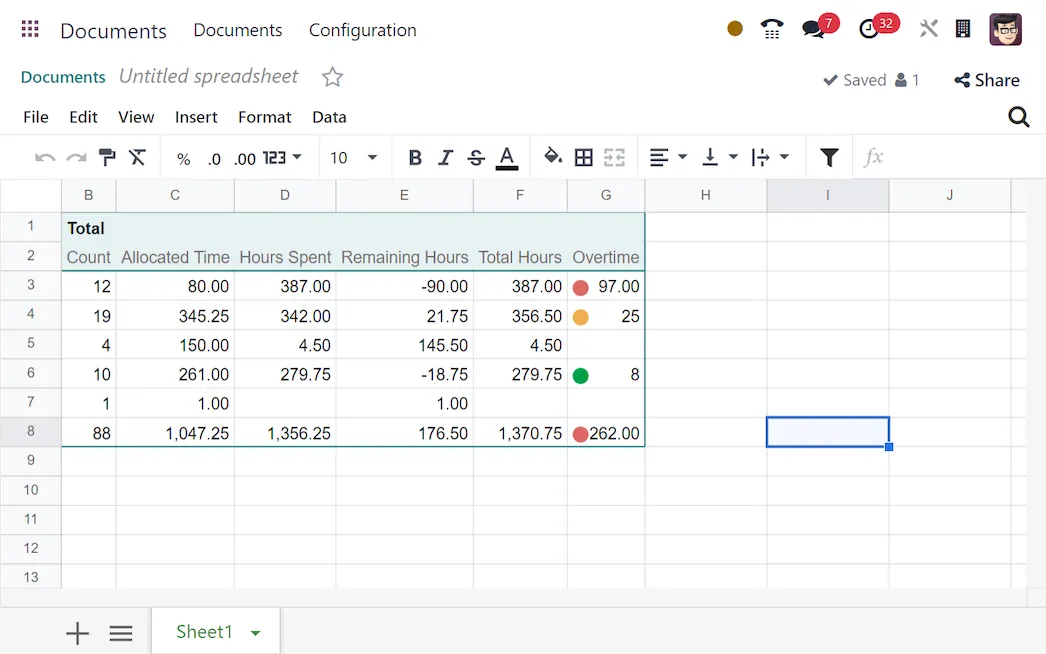
Spreadsheet (BI), configured to how you work.
Standard Odoo first. We set it up on a staging database, migrate your data, train your team and stay on after go-live.
- Discovery: we map how the process runs today and match it to the app
- Configuration on a staging database, checked against real records
- Training for the people who will use it, on your own data
- Support after go-live: fixes, changes and upgrades
Apps that share the same database.
DocumentsFile storage with workflows and OCR.SignE-signatures with an audit trail.AccountingJournals, bank sync, tax reports and closing.InvoicingSend invoices and collect payments online. SalesQuotations, orders and upsells.
 InventoryMulti-warehouse stock, barcodes, replenishment.
Product descriptions, screenshots and videos are © Odoo S.A., reproduced for reference from odoo.com. TechNext is an Odoo Ready Partner; we implement and support Odoo.
Put Spreadsheet (BI) to work for your BIR requirements.
Keep the system you run today. Our own experts add Spreadsheet (BI) as a plug-in in your system and quote it in writing first.