
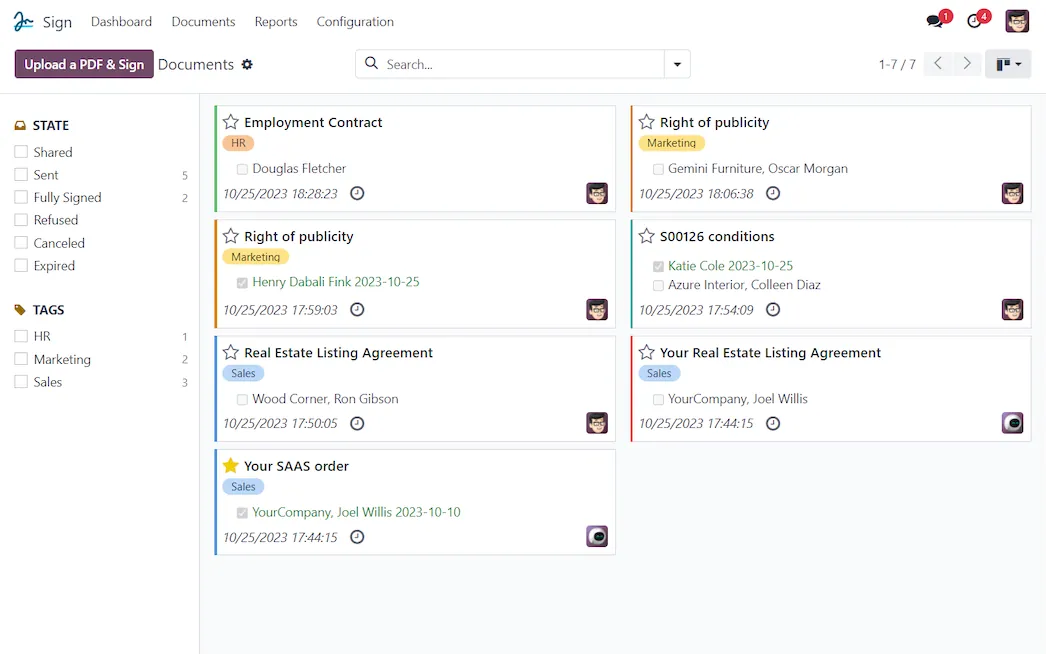


 Whenever, Wherever
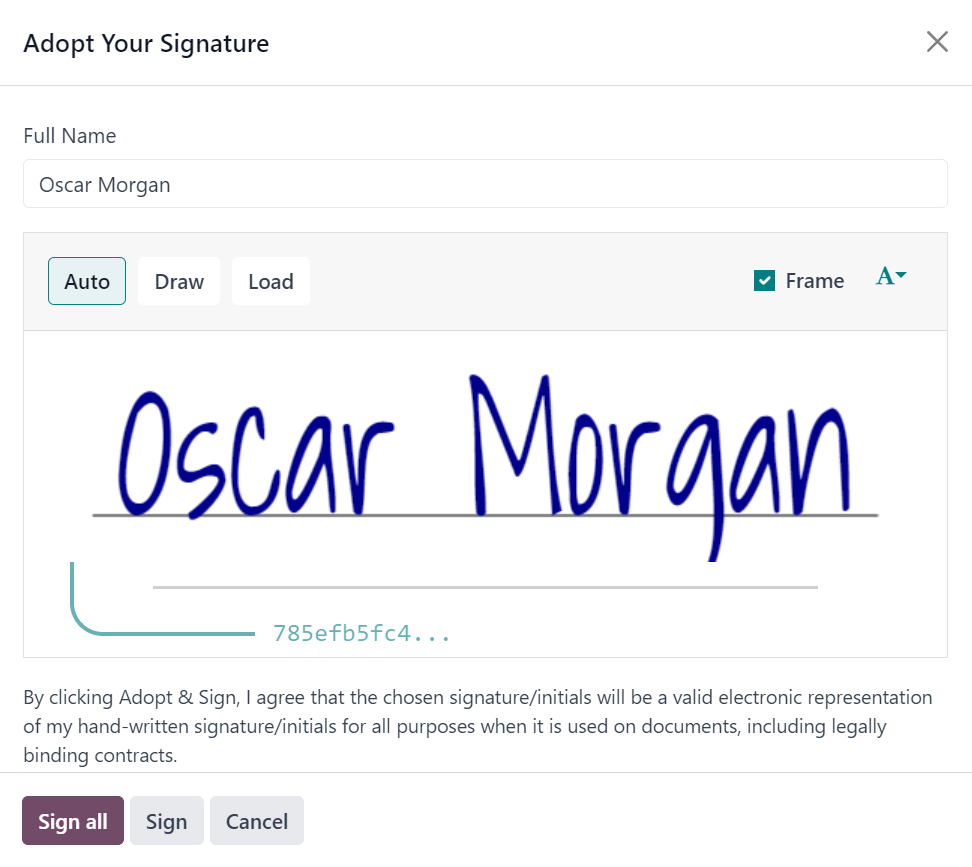
Collect signatures in seconds. Your clients can access and review documents on any device and sign them electronically with just a few clicks.
DeadlinesE-Invoicing by Dec 31, 20262026 Computerized Books in ORUS by Jan 30, 2027E-Invoicing Dec 31 · ORUS Jan 30
Check ReadinessContracts and forms go out for electronic signature from the record they belong to, and you can see who has signed. We prepare your templates and signing steps, train your team and support you after go-live.
Odoo Sign: E-signatures with an audit trail. TechNext, an Odoo Ready Partner headquartered in Singapore with teams in the Philippines and Vietnam, sets it up on a staging copy of your database, migrates your data, trains the people who use it and supports it after go-live.
Odoo 20 sends signature requests from automated actions, activities and activity plans, supports Cyrillic, Devanagari and Arabic, and works on phones and touchscreens. What a signer fills in can update the Odoo record. What changed in Odoo 20.
Sample signature requests run through Odoo Sign the way TechNext sets it up: 5 states, the exceptions and loops that really happen, and the hand-offs into Sales, Employees and Documents. Hover a state to see what happens there.
Exceptions and loops
What TechNext configures
Main path: Draft → Sent → Partially signed → Fully signed → Archived.
Sample records. Your stages, rules and hand-offs are configured in discovery.
Official Odoo videos. Nothing loads until you press play.
Get my custom blueprint See Sign on your own data, as a plug-in in your system.
The product as Odoo presents it. TechNext configures each part to your process.
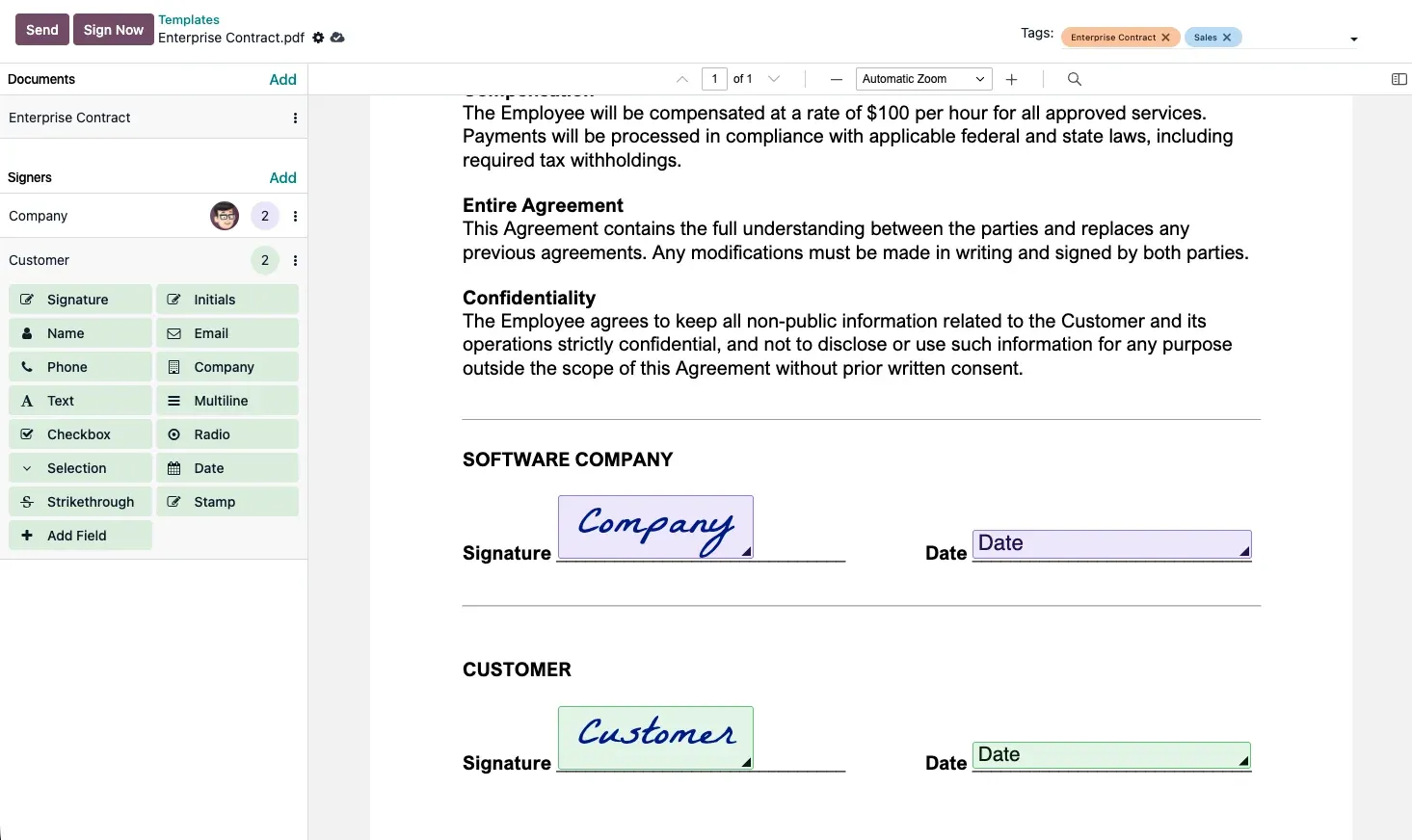
Drag and drop editable and mandatory fields. Automate repetitive completion by using pre-filled templates. Write your document only once and be more productive!
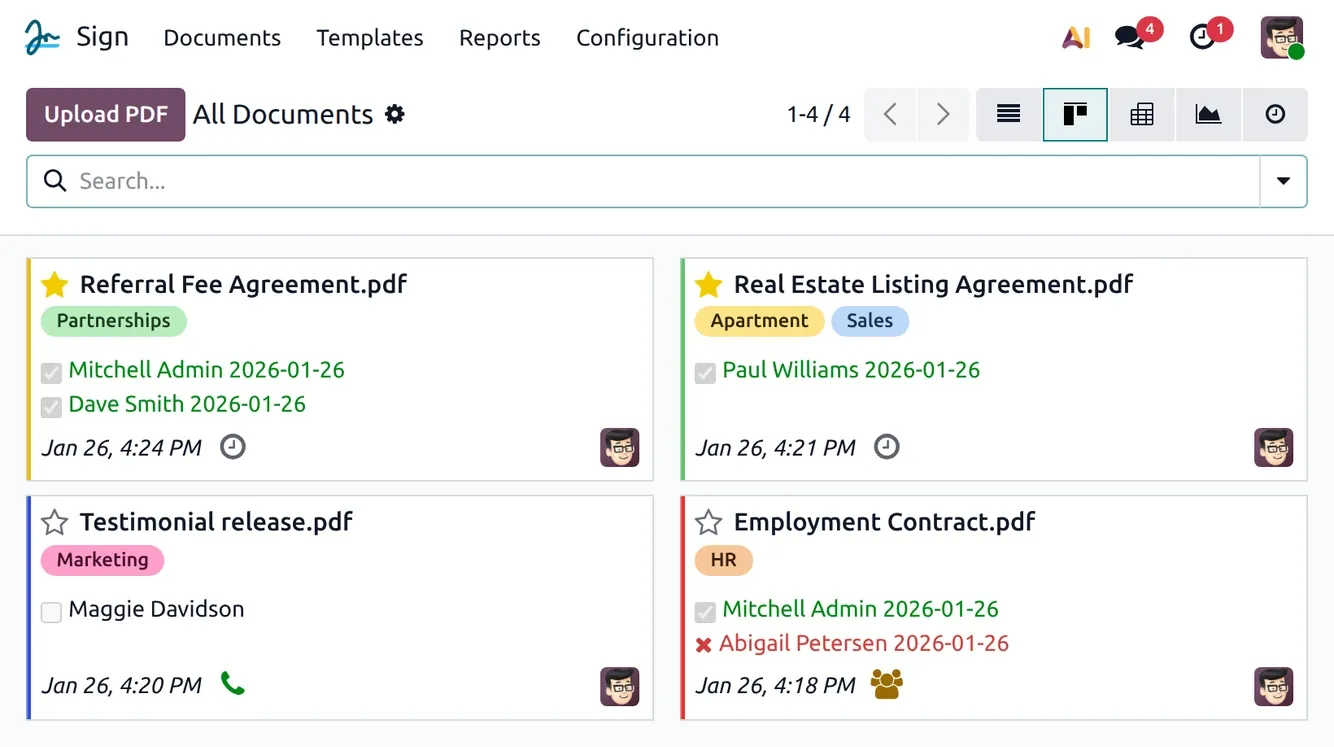
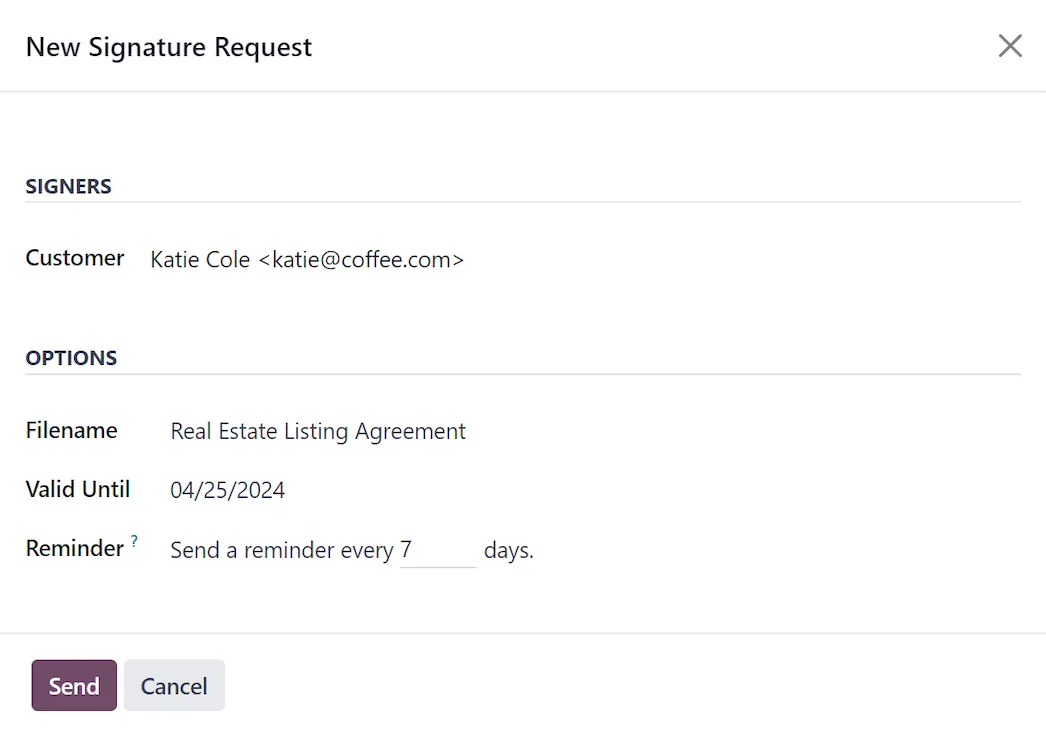
Track document status. Swiftly send signature requests and reminders to recipients, and keep an eye on the progress of your contracts.
Whenever, WhereverCollect signatures in seconds. Your clients can access and review documents on any device and sign them electronically with just a few clicks.
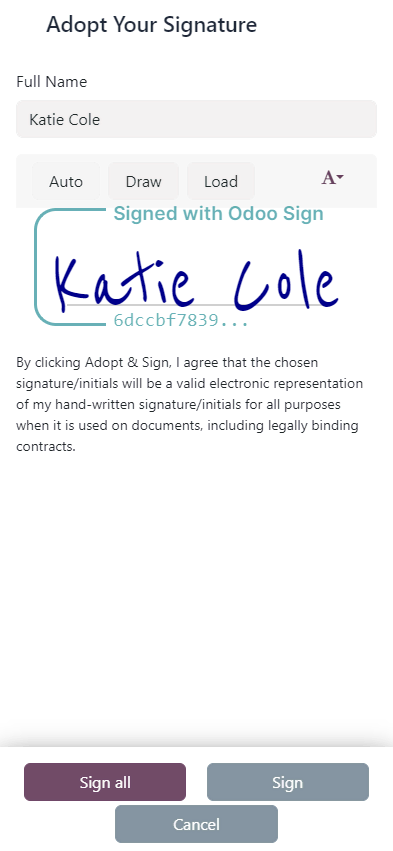
Standard Odoo first. We set it up on a staging database, migrate your data, train your team and stay on after go-live.
 AccountingJournals, bank sync, tax reports and closing.
 InvoicingSend invoices and collect payments online.
 ExpensesCapture receipts and approve claims.
 Spreadsheet (BI)Live pivots and dashboards on Odoo data.
 SalesQuotations, orders and upsells.
 InventoryMulti-warehouse stock, barcodes, replenishment.
Product descriptions, screenshots and videos are © Odoo S.A., reproduced for reference from odoo.com. TechNext is an Odoo Ready Partner; we implement and support Odoo.
Keep the system you run today. Our own experts add Sign as a plug-in in your system and quote it in writing first.
2027 BIR Audit Guide · sent by our team
Four details. A BIR Compliance Expert sends the guide to your work email within one business day. Inside: the eLA rules, the 10-day document rule, what examiners ask for, and a routine for audit requests.