
BIR compliance6 min read
Expanded withholding tax and BIR ATC codes: the rules, and how to set them up in Odoo
EWT deadlines, the common ATC codes and rates, the 2025 top withholding agent changes, and how withholding taxes work in Odoo.
BIR noticeE-invoicing is due by 31 December 2026 for covered taxpayers, including businesses on a CAS or CBA with invoicing software.E-invoicing is due by 31 Dec 2026 for covered taxpayers.
CAS set-up in OdooForm 2307 is the certificate that turns tax your customer withheld into a credit you can claim. Chasing them every quarter is one of the most familiar BIR chores in the Philippines. Here is how the certificate works after the EOPT Act, why credits get disallowed, and how Odoo produces 2307s from your vendor bills.
Prepared by the TechNext Philippines Odoo and finance team, Taguig City.
By TechNext · · Updated · 7 min readBIR compliance
Key takeaways
Every quarter, finance teams across the Philippines do the same thing: send reminders to customers for missing 2307s, then match each certificate to an invoice before the income tax return is due. A missing certificate is a credit you cannot claim. On the other side, your own suppliers expect their 2307s from you on time. This guide covers both sides and how Odoo helps.
BIR Form 2307 is the Certificate of Creditable Tax Withheld at Source. The current form is the January 2018 version. Its sibling, Form 2306, covers final withholding tax.
| Situation | When the 2307 is due |
|---|---|
| Expanded withholding tax on your payments | Within 20 days after the close of the quarter (for the quarter ending 31 December 2026, by 20 January 2027) |
| The payee asks for it | At the same time as the payment |
| VAT or percentage tax withheld by government | Issued by the agency as proof of the VAT withheld (RMC 36-2021). Ask for it with each payment; the agency remits the VAT monthly on Form 1600-VT |
The EOPT Act did not change the 20-day rule. It did change when the duty to withhold arises: when the income becomes payable. RR 4-2024 treats that as the date the expense is accrued or recorded in your books, or the date the supplier issues its invoice, whichever is earlier. The old "no withholding, no deduction" rule was repealed when the EOPT Act took effect on 22 January 2024, but the duty to withhold and remit remains.
Disallowed withholding credits are a frequent issue in BIR audits. Every one of these causes is easier to catch when the certificate, the invoice and the income sit in the same system.
Odoo builds the certificate from the withholding taxes on your vendor bills, so set-up comes first:
| Version | How the 2307 is produced |
|---|---|
| Odoo 18 and 19 | Select bills (or a payment) and use Actions > Download BIR 2307 XLS. The file lists the bill lines with withholding, ready to convert to the BIR format. Odoo's documentation notes it does not create the PDF itself. |
| Odoo 20 | Under Accounting > Reporting > Tax Report, the 2306 & 2307 report generates the certificates in the BIR PDF format, grouped by ATC per partner, for a month or a quarter. Several certificates download as one ZIP. The release notes add sending the certificate to the vendor when a bill is paid. |
For the 2307s you receive, attach each certificate to the customer invoice it covers. Separately, Odoo builds the SAWT from customer invoices that carry sales withholding taxes.
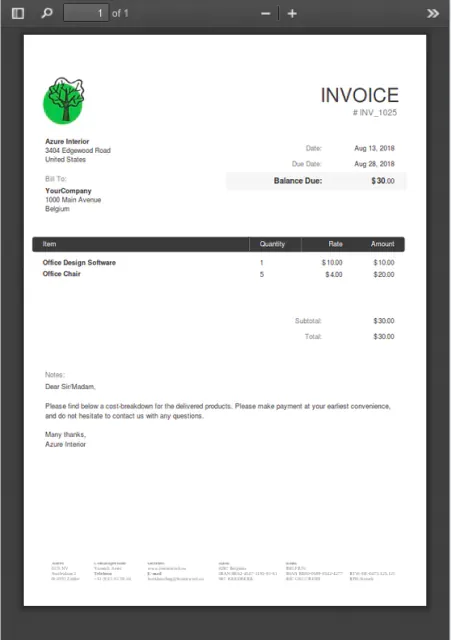
You don't need to hire your own team. A TechNext adviser reviews your withholding flow first, then our team in Taguig City sets up Odoo so the 2307s you issue come from your bills and the ones you receive can be attached to the invoices they cover. See how we set up Odoo for BIR requirements.
Rules change. This article reflects RR 2-98 as amended by RR 11-2018, RR 4-2024, RR 6-2026, RMC 36-2021, the January 2018 Form 2307, and Odoo's 18.0 to 20.0 documentation and release notes, read from the BIR's PDFs and Odoo's own pages as available on 21 October 2026. It is not tax advice: confirm with your accountant or the BIR before you act.
Issue Form 2307 to your suppliers within 20 days after the close of each quarter, or at the time of payment if the supplier asks, under RR 2-98 as amended by RR 11-2018.
Form 2307 certifies creditable withholding tax, which the payee claims as a credit. Form 2306 certifies final withholding tax.
In Odoo 20, yes: the 2306 & 2307 report generates the certificates in the BIR PDF format. Odoo 18 and 19 export the data as XLS for conversion.
No. Under RMC 36-2021, VAT withheld by government is credited against your VAT. Using it against income tax leads to disallowance.
Form 2307 is given by a payor to a supplier or other payee for creditable tax withheld on income payments, within 20 days after each quarter. Form 2316 is the Certificate of Compensation Payment and Tax Withheld that an employer gives each employee, on or before 31 January of the following year, or on the last pay day if employment ends earlier (RR 11-2018).
Each income payment is multiplied by the rate for its ATC, and the 2307 shows the monthly amounts, the quarterly total and the tax withheld. For example, a P100,000 payment to a contractor at 2% means P2,000 withheld. Your accountant confirms which ATC and rate apply.

About TechNext. TechNext Pte. Ltd. is a trusted expert adviser for ERP and compliance: an Odoo Ready Partner headquartered in Singapore, with its main development and consulting hub in Taguig City, Metro Manila and an AI engineering hub in Ho Chi Minh City. Our own experts implement Odoo end to end (discovery, configuration, data migration, training and support), set up with the Philippine (BIR) and Singapore (GST) localisations, for clients in 25+ countries. We are not affiliated with, accredited by or acting for the BIR or any government agency, and we do not file or register on your behalf. About us · Get a quotation
EWT deadlines, the common ATC codes and rates, the 2025 top withholding agent changes, and how withholding taxes work in Odoo.
SAWT vs QAP, the deadlines under RMC 55-2026, why files get rejected, and how Odoo exports both as DAT files.
Has the BIR said anything about Odoo? The RRs and RMCs behind CAS, books of accounts, e-invoicing and withholding, in plain English.
TechNext sets up your Odoo, can build your website and brand on it, and stays on after go-live, in Singapore and the Philippines. An adviser reviews your situation first.