
BIR compliance6 min read
Is any accounting software BIR-accredited? What the BIR requires, and where Odoo fits
Has the BIR said anything about Odoo? The RRs and RMCs behind CAS, books of accounts, e-invoicing and withholding, in plain English.
BIR noticeE-invoicing is due by 31 December 2026 for covered taxpayers, including businesses on a CAS or CBA with invoicing software.E-invoicing is due by 31 Dec 2026 for covered taxpayers.
CAS set-up in OdooA Computerized Accounting System (CAS) records your transactions and generates your invoices; Computerized Books of Accounts (CBA) keep the books only. The BIR no longer issues a Permit to Use: you register the system, get an Acknowledgement Certificate, and the RDO checks it afterwards. Here is what goes in the application, what the system must do, and how e-invoicing adds a second permit.
Prepared by the TechNext Philippines Odoo and finance team, Taguig City.
By TechNext · · Updated · 7 min readBIR compliance
Key takeaways
"Is Odoo BIR-registered?" is one of the first questions we hear in the Philippines. The BIR does not register software brands. It registers your use of a system, at your RDO. So the real question is how your business registers Odoo. (If you would rather have Odoo set up with you, see our BIR CAS set-up service. You file the registration yourself.) This guide walks through the process as it stands in October 2026.
| CAS (Computerized Accounting System) | CBA (Computerized Books of Accounts) | |
|---|---|---|
| What it covers | The full cycle, from the transaction and the invoice to the financial reports | Books of accounts only: journals, ledger, sales and purchase books, inventory book |
| Invoices | System-generated | Issued manually (a system that issues invoices by hand is treated as a CBA) |
| Who must use it | Large taxpayers must maintain or use a CAS (RR 9-2009, as restated in RMO 9-2021) | Optional for non-large taxpayers, who may choose a CAS or a CBA |
RMO 9-2021 says registration applies to any software that records sales, purchases, receivables, payables, inventory or payroll, or that produces BIR reports. It also covers cloud (hosted) systems and third-party providers, so a cloud set-up such as Odoo Online or Odoo.sh is registered too, with the joint sworn statement described below.
The checklist in RMC 5-2021 Annex A asks for:
Annex labels differ between RMO 9-2021 and RMC 5-2021, so ask your RDO for its current templates.
Annex B of RMC 5-2021 sets the requirements. The ones that matter most:
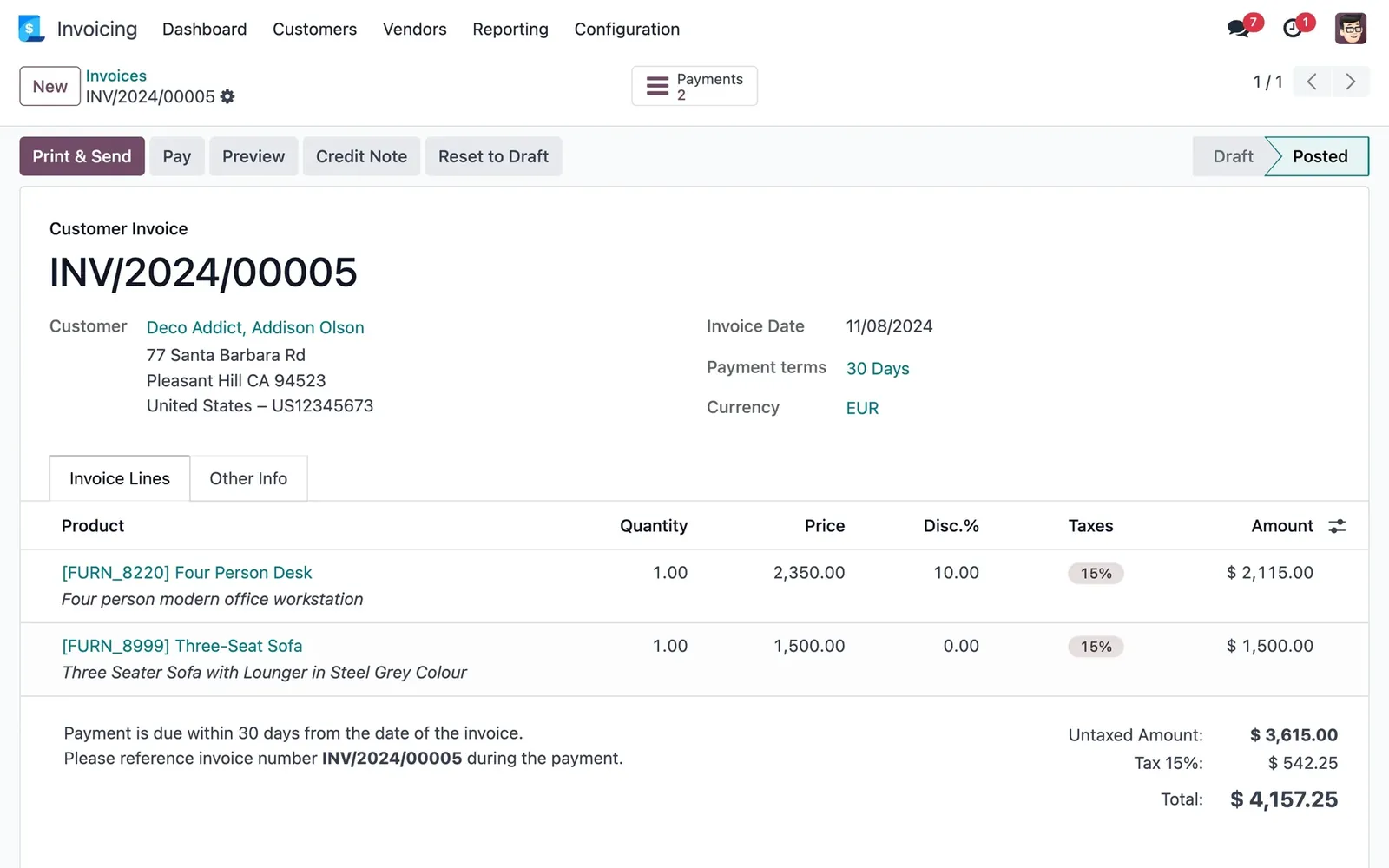
Odoo already has the building blocks: an audit trail that logs changes to accounting records, posted entries secured with a hash chain, irreversible hard lock dates, and the Philippine localisation's BIR reports. Odoo 20's release notes add a Book of Accounts for CBA and CAS and update Philippine invoices for BIR and CAS requirements. Whether your set-up meets every Annex B item depends on configuration and hosting. We review the set-up with you before you apply; the RDO makes the evaluation.
Under RMC 3-2023 and RMC 4-2026, computerised books are registered online through ORUS, which issues a QR code you print and keep. For taxable year 2025, the deadline for computerised books was extended to 17 February 2026. Earlier rules also asked for the books on a USB drive with a transmittal letter, so check with your RDO what it wants with the ORUS registration.
RMC 98-2026 is clear that the AC authorises the use of your system but not the issue of e-invoices. If you are covered, you also need:
The covered groups and the 31 December 2026 deadline are in our BIR e-invoicing guide.
You don't need to hire your own team. A TechNext adviser maps your registration path first, then our team in Taguig City sets up Odoo and prepares the system samples with you for the application you file. See how we set Odoo up as your CAS.
Rules change. This article reflects RMO 9-2021, RMC 5-2021 and its annexes, RR 7-2024, RR 11-2024, RMC 3-2023, RMC 4-2026 and RMC 98-2026, read from the BIR's documents or official copies hosted by audit firms, as available on 21 October 2026. Registration is done by each taxpayer at its own RDO; TechNext prepares the system and samples, not the BIR's decision. It is not tax advice: confirm with your accountant or RDO before you act.
The BIR registers each taxpayer's use of a system, not a software brand. Your business registers Odoo as its CAS or CBA at your RDO and receives an Acknowledgement Certificate.
No. RMC 5-2021 replaced the Permit to Use with registration and an Acknowledgement Certificate. Existing PTUs stay valid unless revoked or the system has a major enhancement.
No. Under RMC 98-2026, the AC authorises the system but not e-invoicing. Covered taxpayers also need a Permit to Issue and EIS Certification.
Yes, if the upgrade changes the financial side. Under the BIR's CAS registration rules, a version change that affects the financial side of a registered CAS or CBA counts as a major enhancement, which needs an updated registration before you use it. Minor changes need only a written notice.
A Computerized Accounting System (CAS) processes the full accounting cycle, from the transaction and the system-generated invoice to the financial reports. If invoices are issued by hand, the BIR treats the system as Computerized Books of Accounts (CBA) instead (RMO 9-2021, RMC 98-2026).
It is the certificate your RDO issues within three working days of a complete CAS or CBA application, in place of the old Permit to Use (RMC 5-2021). It carries an AC control number (ACCN) that your system-generated invoices show, and the RDO evaluates the system afterwards.
They are separate. Under RMC 98-2026 the Acknowledgement Certificate for a CAS authorises the use of the system, while e-invoices need a Permit to Issue, and an e-invoice must come from a duly registered, approved or accredited system. The circular does not say every e-invoicing taxpayer needs a CAS, so ask your accountant or RDO which registrations your set-up needs.

About TechNext. TechNext Pte. Ltd. is a trusted expert adviser for ERP and compliance: an Odoo Ready Partner headquartered in Singapore, with its main development and consulting hub in Taguig City, Metro Manila and an AI engineering hub in Ho Chi Minh City. Our own experts implement Odoo end to end (discovery, configuration, data migration, training and support), set up with the Philippine (BIR) and Singapore (GST) localisations, for clients in 25+ countries. We are not affiliated with, accredited by or acting for the BIR or any government agency, and we do not file or register on your behalf. About us · Get a quotation
Has the BIR said anything about Odoo? The RRs and RMCs behind CAS, books of accounts, e-invoicing and withholding, in plain English.
Who must issue BIR electronic invoices by 31 December 2026, what a Permit to Issue is, and how to prepare Odoo.
Branch codes, invoices per branch, consolidated VAT and e-invoicing PTIs: running Philippine branches in Odoo.
TechNext sets up your Odoo, can build your website and brand on it, and stays on after go-live, in Singapore and the Philippines. An adviser reviews your situation first.