
BIR compliance6 min read
Is any accounting software BIR-accredited? What the BIR requires, and where Odoo fits
Has the BIR said anything about Odoo? The RRs and RMCs behind CAS, books of accounts, e-invoicing and withholding, in plain English.
BIR noticeE-invoicing is due by 31 December 2026 for covered taxpayers, including businesses on a CAS or CBA with invoicing software.E-invoicing is due by 31 Dec 2026 for covered taxpayers.
CAS set-up in OdooNo accounting software is BIR-accredited. The BIR registers your business's own system, so the real question is which software makes your books, withholding certificates and BIR lists easiest to produce. Here is a fair comparison of Odoo, QuickBooks Online, Xero and SAP Business One against manual books, and a checklist to help you choose.
Prepared by the TechNext Philippines Odoo and finance team, Taguig City.
By TechNext · · Updated · 9 min readBIR compliance
Key takeaways
"What is the best BIR accounting software?" is one of the first questions Philippine business owners ask us. It is the wrong question, but for a good reason. The BIR does not approve software brands. It registers each taxpayer's own system, and it checks that system against its rules. So the useful question is different: which software produces the books, certificates and lists your business must file, with the least manual work? This guide compares four common choices and the manual baseline, using only published material from each vendor or, for SAP Business One, an independent overview.
In Odoo: posted entries in sales, purchase and miscellaneous journals can be secured with a hash (Accounting > Configuration > Journals, Advanced Settings, Secure Posted Entries with Hash), after which they cannot be edited. Lock dates (Accounting > Accounting > Lock Dates) close past periods, and Odoo 20's release notes add a Book of Accounts report for CAS and CBA users. TechNext configures these with you before your business applies.
Our guide to the BIR rules for your accounting system covers each issuance, and registering Odoo as a CAS or CBA walks through the application.
RMC 98-2026 requires covered taxpayers to issue electronic invoices on or before 31 December 2026. Covered taxpayers include CAS and CBA users with electronic invoicing, large taxpayers, and e-commerce sellers that are not micro taxpayers. Each needs a Permit to Issue that names the approved system, and an EIS Certification within six months of it.
Two points matter when you choose software. Invoices made in Word, Excel, Google Docs or Google Sheets are not valid e-invoices. And changing or migrating your invoicing system needs a new or amended Permit to Issue. Choose once, and choose carefully. RMC 98-2026 also says invoices from a system that cannot transmit sales data to the BIR are treated as system-generated invoices, not electronic invoices.
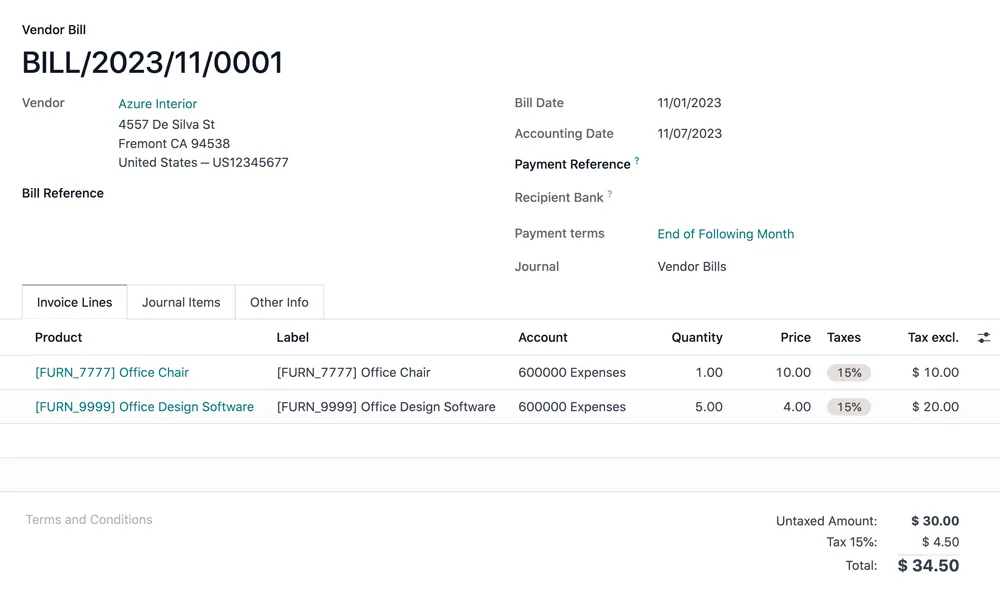
In Odoo: customer invoices are created and numbered by the system in Accounting > Customers > Invoices and can be sent to the buyer by email. Odoo has no built-in connection to the BIR's EIS, and TechNext has not built one. If your business is covered, we assess the EIS work and quote it separately.
The table below uses each vendor's own published material, and an independent overview for SAP Business One. Where a vendor does not publish a Philippine feature, we say so rather than guess.
| Criteria | Spreadsheets or manual books | Odoo | QuickBooks Online | Xero | SAP Business One |
|---|---|---|---|---|---|
| What it is | Your own files or bound books | A suite of business apps, with Accounting as one app | Cloud accounting for small businesses | Cloud accounting for small businesses | An ERP for small and midsize companies |
| How it runs | On your computer or on paper | Odoo Online, Odoo.sh or on-premise | Cloud, in a web browser | Cloud, nothing to install | Cloud or on-premise, usually through an SAP partner |
| Philippine VAT and withholding taxes | You build and maintain the formulas | Localisation ships 12%, zero-rated and VAT-exempt taxes, plus expanded, final and VAT withholding taxes, each with a Philippines ATC field | Vendor site describes VAT tracking; check withholding with the vendor | Vendor site describes VAT tax preparation; check withholding with the vendor | Check with your SAP partner or a local add-on |
| BIR 2307 | Prepared by hand | Odoo 19: XLS file from selected vendor bills (Accounting > Vendors > Bills, Actions), which you convert to PDF or DAT. Odoo 20 release notes: PDF 2306 and 2307 certificates from vendor bills | Check with the vendor or a local add-on | Check with the vendor or a local add-on | Check with your SAP partner or a local add-on |
| SLSP, SAWT and QAP | Compiled by hand | Reports under Accounting > Reporting that export DAT files for the BIR's ReLiEf module (SLSP) and Alpha module (SAWT, QAP) | Check with the vendor or a local add-on | Check with the vendor or a local add-on | Check with your SAP partner or a local add-on |
| BIR 2550Q (VAT return) | Compiled by hand | 2550Q (PH) report under Accounting > Reporting > Tax Report | Check with the vendor or a local add-on | Check with the vendor or a local add-on | Check with your SAP partner or a local add-on |
| Beyond accounting | Separate files per process | Inventory, purchase, sales, CRM, manufacturing, payroll and more on one database | Inventory updates and e-commerce app integrations | Inventory, payroll, projects and the Xero App Store | Financials, inventory and production planning |
| Connection to the BIR's EIS | Not possible: spreadsheet invoices are not e-invoices | No built-in connection; assessed and quoted separately | Check with the vendor | Vendor site mentions the BIR's e-invoicing mandate; ask how it connects to the EIS | Check with your SAP partner |
Every product in the table is used by Philippine businesses, and each can be a sensible choice. A sole trader with a few invoices a month has different needs from a distributor with three branches and a warehouse. The table is a starting point for questions, not a verdict.
In Odoo: if Odoo is on your shortlist, TechNext can walk you through each item: the 2550Q and SAWT & QAP reports under Accounting > Reporting > Tax Report, the Summary Lists of Sales and Purchases with its DAT export, the 2307 export from vendor bills, hash-secured journals and lock dates, and multiple companies in one database. Stock runs in Odoo Inventory on the same database as your books.
If you have already outgrown spreadsheets, our article on the signs you have outgrown spreadsheets may help you decide when to move.
TechNext is an Odoo Ready Partner in Singapore with a team in Taguig City. We set up Odoo for BIR requirements: the Philippine localisation, your company TIN, branch and RDO codes, your taxes and ATC codes, contact TINs, secured journals and lock dates, invoice layouts, and the 2307, SLSP, SAWT, QAP and 2550Q reports. We then prepare the Odoo outputs with you for your CAS or CBA application. Your business files the application at its RDO; we do not file returns or registrations on your behalf. Any EIS connection is assessed and quoted separately. See how we prepare Odoo for CAS registration.
TechNext is not affiliated with the BIR or any government agency.
Rules and products change. This article reflects BIR issuances and vendor websites available on 24 October 2026. Competitor descriptions come from public vendor pages and an independent SAP Business One overview, and may not cover every edition or add-on. It is not tax advice: confirm with your accountant or the BIR before you act.
No. In its 14 September 2026 advisory, the BIR said it has not accredited, certified or endorsed any e-invoicing service provider, and warned against such claims. The BIR registers each business's own CAS or CBA instead.
It depends on what you need beyond accounting and how you will produce your BIR lists. Odoo's Philippine localisation documents the 2307, SLSP, SAWT and QAP outputs. For QuickBooks Online, ask the vendor or a local add-on provider how it produces them.
If you are covered by e-invoicing, no. RMC 98-2026 says invoices made in Word, Excel, Google Docs or Google Sheets are not valid electronic invoices. Covered taxpayers must issue e-invoices on or before 31 December 2026.
Not out of the box. Odoo has no built-in EIS connection, and TechNext has not built one. If your business needs it, we assess the work and quote it separately.
Usually, yes. A new system is a new CAS or CBA application, and RMC 98-2026 requires a new or amended Permit to Issue when you migrate e-invoicing systems. Check the steps with your RDO.
About TechNext. TechNext Pte. Ltd. is a trusted expert adviser for ERP and compliance: an Odoo Ready Partner headquartered in Singapore, with its main development and consulting hub in Taguig City, Metro Manila and an AI engineering hub in Ho Chi Minh City. Our own experts implement Odoo end to end (discovery, configuration, data migration, training and support), set up with the Philippine (BIR) and Singapore (GST) localisations, for clients in 25+ countries. We are not affiliated with, accredited by or acting for the BIR or any government agency, and we do not file or register on your behalf. About us · Get a quotation
Has the BIR said anything about Odoo? The RRs and RMCs behind CAS, books of accounts, e-invoicing and withholding, in plain English.
CAS vs CBA, the Acknowledgement Certificate, the documents the BIR asks for, and how the e-invoicing PTI fits on top.
Manual, loose-leaf and computerized books compared: ORUS registration, year-end deadlines, retention, and where Odoo's Book of Accounts fits.
TechNext sets up your Odoo, can build your website and brand on it, and stays on after go-live, in Singapore and the Philippines. An adviser reviews your situation first.